
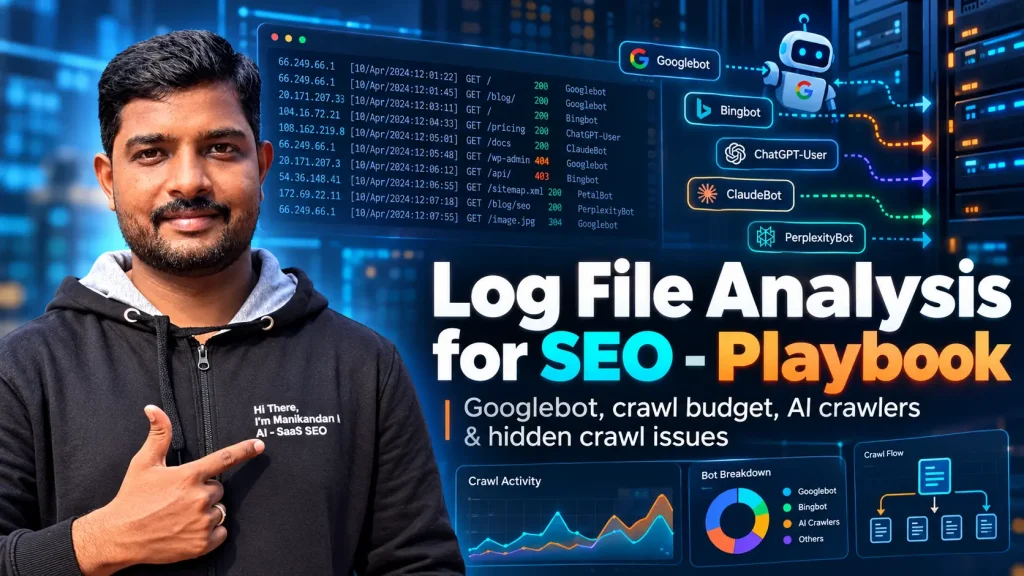
Log file analysis for SEO and AI crawlers.
Your server already records every bot request. Learn to verify the bot, read the response, and see exactly where the evidence stops.

192.0.2.10 "GET /services/ HTTP/1.1" 200 "Googlebot/2.1"Claims Googlebot. Reverse DNS fails. Unverified.66.249.66.1 "GET /pricing/ HTTP/1.1" 200 "Googlebot/2.1"Reverse and forward DNS match. Verified fetch.66.249.66.1 "GET /services/cloud/ HTTP/1.1" 503 "Googlebot/2.1"Verified, but the server failed. Investigate.In this guide
What is log file analysis for SEO?
Log file analysis for SEO is the practice of reading your server’s request records to see which URLs search and AI bots fetch, how often they return, and what response each request received. It tells you whether the right bots are reaching the pages that matter to the business.
An access log records requests handled at one layer of your infrastructure. Depending on configuration, each line can hold the client IP address, timestamp, requested URL, user agent, status code and bytes sent.
Logs answer questions such as whether Googlebot requested your product pages after a migration, or kept receiving server errors from an important category. They cannot confirm indexing, rankings, rendering or AI citations. That gap shapes everything that follows.
- A bot request proves a fetch happened at one log layer. It proves nothing else.
- Verify Googlebot with reverse then forward DNS. A user agent is only a claim.
- Treat AI search bots, AI training bots and user-triggered fetchers as three separate segments.
- Report zero-hit pages as “not observed in this dataset”, never as “never crawled”.
How do logs differ from analytics, Search Console and a site crawl?
They measure different things, so a mismatch between them is a prompt to investigate, not a sign that one is broken.
| Source | Best question to ask | Main limit |
|---|---|---|
| Access logs | Which requests reached this logging layer? | Coverage depends on infrastructure and settings. |
| Web analytics | What did measured visitors do? | Events depend on implementation and consent rules. |
| Search Console Crawl Stats | How is Google crawling this property? | Google-only aggregates and example URLs. |
| SEO crawler | What can this configured crawl discover? | It does not reproduce Google’s real crawl history. |
The Evidence Ladder
Most bad log file decisions share one mistake: claiming a result from request evidence. I use a five-rung ladder to stop it. Each rung needs its own proof, and your logs only reach the first two.
Climb the ladder
Select a rung to see what proves it, where to look, and what you cannot claim yet.
Name the rung in every recommendation. “Googlebot received 150 server errors on /services/” sits on rung 2. “Fixing it will lift leads” sits on rung 5 and needs separate proof, collected after the change.
Is log file analysis worth doing for your site?
Do it when you have a specific crawl question, not as a routine report. Google’s crawl budget guidance is aimed at very large or fast-changing sites. A small site whose important pages are fetched promptly rarely needs a crawl budget programme.
Choose the question before you open any tool. “Why are our new service pages not being fetched?” produces a better audit than “How do we get more bot hits?”
Do you need a log investigation?
Answer three things. The size thresholds come from Google’s own guidance, which calls them a rough estimate.
How do you get your server log files?
Ask your hosting provider, infrastructure team, control panel or CDN for an export. You cannot retrieve a private site’s logs by entering its public URL into a crawler.
- Apache: ask which files the
CustomLogdirective writes./var/log/apache2/and/var/log/httpd/are common, but installs vary. - NGINX: ask for the configured
access_logdestination andlog_format./var/log/nginx/access.logis a common location, not a guarantee. - cPanel: look for Raw Access under Metrics.
- CDN: if a CDN answers from cache, those requests never reach your origin. Request edge logs too, with cache and security outcomes where the plan provides them.
Send this to your developer. It asks for every field the rest of this guide needs.
Please export access logs for the agreed hostname and date range, including rotated files. Include timestamp and timezone, client IP, host, request path and query string, method, status, bytes, and user agent. Where configured, include request duration, cache outcome and request ID. Confirm any sampling, any missing periods, and whether the export comes from the CDN, load balancer or origin.
Store exports in approved, access-controlled storage. Redact credentials, tokens and personal information before sharing examples, and keep the untouched original for verification.
How do you analyse server logs, step by step?
Fix the dataset first, verify the bot second, then read status codes, crawl waste and coverage in that order. Skipping ahead is how teams end up fixing a chart instead of a problem.
Fix the window and the log layer
For a first investigation I suggest 14 to 30 complete days. That is a working recommendation, not a search engine rule. Check timezone consistency, log rotation, missing days, sampling and hostname coverage. Keep raw URLs before you create grouped fields, because query strings and letter case can be the whole story.
Do not add CDN and origin totals together. One external request can appear in both. Pick one primary reporting layer and use request IDs to study the overlap.
Read one log line
A sample record in the common combined format. It uses a documentation-only IP address. Select any part.
Log formats vary. Confirm your parser and any custom fields before you rely on command-line shortcuts.
Verify Googlebot with a reverse DNS lookup
A user agent containing “Googlebot” is a claim, not proof. Run a reverse DNS lookup on the IP in your log, check that the hostname ends in googlebot.com, google.com or googleusercontent.com, then run a forward lookup on that hostname and confirm it returns the original IP.
Google documents this method in verifying requests from Google crawlers. This example uses the address and hostname from that page:
host 66.249.66.1
1.66.249.66.in-addr.arpa domain name pointer crawl-66-249-66-1.googlebot.com.

host crawl-66-249-66-1.googlebot.com
crawl-66-249-66-1.googlebot.com has address 66.249.66.1
For large datasets, automate the check by matching IPs against the published Google ranges in common-crawlers.json. Behind a proxy or CDN, confirm which log field holds the real client IP. A proxy address or an untrusted forwarded header invalidates the check.
Check your two lookup results
Run the two host commands yourself, then paste what came back. Nothing leaves this page.
Which grep or awk filter finds claimed Googlebot hits?
For a conventional combined-format Apache or NGINX log, this prints the prefix, path and status for rows whose user-agent field contains Googlebot:
awk -F'"' '$6 ~ /Googlebot/ {split($2,r," "); split($3,s,/ +/); print $1, r[2], s[2]}' access.log | head -n 20A simpler exploratory filter is grep -i 'Googlebot' access.log | head -n 20. Neither command authenticates anything. They list claims, and you verify the source IPs separately. Adjust for JSON, CSV, custom, rotated or compressed formats, and never treat partial output as a complete audit.
Segment bots and page types
Separate verified Googlebot from Bingbot, AI crawlers, monitoring tools and unknown automation. Keep an “unverified” bucket for anything you cannot prove.
Within verified Google traffic, split Googlebot Smartphone from Googlebot Desktop using the recorded user agent. Because Google uses mobile-first indexing, the smartphone crawler is generally the main one for Search, and a small share of desktop requests can be normal. If a mobile-only redirect, navigation or access rule affects important pages, test both versions instead of reading a count gap as the fault. Both variants share one robots.txt token, Googlebot, so you cannot control them separately there.
Then group URLs into sections, and separate HTML documents from images, JavaScript and CSS. For each segment review requests per day, unique URLs requested, status mix and last observed request. A flood of image hits should never hide a service directory that gets almost no HTML requests. Compare every segment with its own history. There is no universal healthy number of Googlebot visits per day.
Read status codes and response times
Start with failures on valuable pages, then redirects, then speed. Google says server errors and 429 responses lower its crawl capacity limit, so repeated failures on commercially important URLs come before any cosmetic cleanup.
What does this status code mean for crawling?
Select a code from your log.
Timing fields need care. NGINX’s $request_time measures request processing time. It is not a Core Web Vitals metric. Compare like with like, and inspect the slow tail as well as the average.
Find crawl budget waste without breaking discovery
Crawl budget is the set of URLs Google can and wants to crawl, shaped by crawl capacity and crawl demand. Waste is the share of that effort spent on URLs you have reviewed and decided have no search value.
Inspect repeated requests to internal search results, endless filter combinations, tracking variants, outdated redirect chains and duplicate URL patterns. Do not assume that every low-value-looking URL is waste. A filtered category may carry real search demand, and a JavaScript file may be essential for rendering. Define the approved URL inventory before you propose any control.
- Fix the source: correct the links that generate unwanted variants, shorten redirect paths and consolidate duplicates.
- A canonical tag signals a preferred URL. It does not stop Googlebot requesting the other variants.
- Robots.txt controls crawling, not removal from search. Google must fetch a page to see its
noindex, so plan the sequence before you combine blocking with deindexing. - Do not promise that cutting wasted hits will lift crawling of priority pages. Google says freed budget moves elsewhere only if the site is already at its crawl capacity limit.
Find orphan pages and overlooked priority URLs
Orphan pages are URLs with no discoverable internal links from the pages in scope. Logs alone cannot prove that links are missing, so compare URLs from logs, XML sitemaps and your CMS with a properly configured site crawl.
A URL present in logs but absent from your internal crawl is an orphan candidate. Check crawl exclusions, authentication, JavaScript navigation and crawl coverage before you declare it orphaned. For valuable pages with no observed bot requests, inspect internal links, sitemap inclusion, canonical tags, robots rules, response status and publication timing. The correct label is “not observed in this dataset”.
Turn your counts into a report line
The values below are example numbers. Replace them with yours. The sentence it writes keeps the claims inside what the logs can prove.
Keep a URL-level record of the evidence, likely cause, recommended change, owner and validation date. That turns an interesting chart into a task someone can ship.
Validate technical fixes and business outcomes separately
Recheck the same URL groups in a comparable window after release. Did verified bots receive successful responses? Were the unwanted variants reduced? Did priority pages get their first observed fetch? Only then review indexing and search performance, which sit on rungs 3 to 5 of the ladder. My Search Console API and BigQuery guide is a starting point for the page and query data, and you should check current API limits before you scale it.
More crawling does not automatically mean more leads. Tie the change to relevant impressions, clicks, qualified enquiries or revenue, and record the other launches and seasonal swings in the same period.
What does a real investigation look like?
Suppose valuable service pages are in your XML sitemap but rarely appear in verified Googlebot HTML requests. Do not call them orphans, and do not blame crawl budget, on that evidence alone.
- Check the dataset. Confirm date range, hostname, log layer, verified bot identity, HTML filtering and missing records. Label zero-hit URLs “not observed in this dataset”.
- Compare the inventory. Match the URLs against the sitemap, the internal link crawl, canonical status, robots rules and the live response. Look for differences by page type and by Googlebot variant.
- Prioritise fixes. Repair broken internal links or blocked resources, correct template-level causes and resolve verified 429 or 5xx problems. Never add redirects or indexing controls just to move a chart.
- Validate. Repeat the same collection and grouping after release, then review indexing, organic performance and conversions on their own.
| Evidence to report | How to calculate it | Decision it supports |
|---|---|---|
| Verified Googlebot HTML requests | Count by day, variant, page type and status from one log layer. | Spot access errors and real shifts in crawl pattern. |
| Observed priority-page coverage | Priority URLs fetched at least once ÷ URLs in the approved inventory. | Pick URLs to investigate, without claiming they were never crawled. |
| Reviewed low-value share | Verified Googlebot HTML requests to manually classified unwanted URLs ÷ all in-scope verified requests. | Test whether a URL pattern consumes avoidable requests. |
| Indexing and business outcomes | Search Console indexing, impressions and clicks, plus analytics or CRM conversions. | Check results separately. Do not claim log changes caused sales. |
Which AI crawlers should you look for in your logs?
Separate search discovery, potential model training and user-triggered fetching. Calling all three “AI visibility” hides what each one can tell you.
| Provider | Search | Training | User-triggered |
|---|---|---|---|
| OpenAI | OAI-SearchBot | GPTBot | ChatGPT-User |
| Anthropic | Claude-SearchBot | ClaudeBot | Claude-User |
| Perplexity | PerplexityBot | None documented | Perplexity-User |
| Googlebot | Google-Extended (a robots.txt token, never in logs) | Google user-triggered fetchers |
OpenAI documents its roles independently, with separate search and training controls. Anthropic and Perplexity publish their own guidance. Each publishes IP ranges too. A user-triggered fetch is a person asking a question, so those fetchers may ignore robots.txt. Do not assume every bot behaves like Googlebot.
Identify a bot from its user agent
Paste a user agent or a whole log line. You get the bot’s role, how it treats robots.txt, and where to verify it.
Set your AI crawler policy
Decide what each role should do on your site, then copy the robots.txt rules. Decide the policy before you edit robots.txt or firewall rules.
ChatGPT-User and Perplexity-User are user-initiated and may ignore robots.txt, so they are not listed. Google-Extended is a control token and will never appear in your logs. Allow each provider’s published IP ranges in your firewall if you want its search bot to reach you.
What does a verified AI bot request prove?
It proves a fetch occurred at the layer you observed. It does not reveal the user’s prompt, prove training use, or show that your page was quoted or cited in an answer. A citation can also use content retrieved earlier, with no new request inside your measurement window. Measure crawler access, observed citations, referral visits and conversions as four separate things.
For AEO and GEO, split access checks from content checks. Can the system retrieve the page, and does the page answer the question clearly? Use logs for the first. For the second, record prompts, dates, platforms and cited URLs. For Google’s AI Overviews and AI Mode, focus on Googlebot access and search eligibility: a supporting page must be indexed and eligible for a snippet, and logs alone can establish neither. No special schema guarantees inclusion.
Which SEO log file analyser should you choose?
Choose by data volume, review frequency, integrations, bot verification and security, not by feature count. A dedicated SEO product is usually easier to run. A general log platform is more flexible but needs SEO-specific setup.
| Option | Pick it when | Check first |
|---|---|---|
| Screaming Frog Log File Analyser | You run file-based investigations and match them to a crawl export. | Event limits, log formats, local resources. |
| JetOctopus | You want recurring cloud analysis by bot and site section. | Ingestion, retention, account capabilities. |
| Oncrawl | You want crawl, log and SEO data combined. | Integrations, segmentation, workflow fit. |
| Botify LogAnalyzer | You need enterprise monitoring with page segments and AI bot activity. | Data integration, plan, ingestion coverage. |
| Splunk | Infrastructure logs are already centralised there. | Field extraction, bot verification, ingestion cost, SEO reporting owner. |
| SQL or Python | You have a data environment and an owner for the code. | Parser quality, verification, maintenance. |
The Screaming Frog Log File Analyser is a separate application from the SEO Spider. A typical workflow is to import logs, verify bots, filter the segment, then match a URL export from the SEO Spider. For recurring enterprise work, compare candidates on the same representative log sample, URL inventory and approval criteria. Confirm capabilities in your own account, because plans differ. Splunk is a general search and observability platform, so verified bot filters, URL grouping and indexing joins remain your team’s job.
How often should you review log files?
Match the schedule to how fast the site changes and how costly a miss would be. Record deployments and configuration changes beside your charts so every pattern has context.
Where does log file analysis break down?
It breaks wherever the log does not see the whole request path. These are the limits I check before I trust a finding.
- Cached traffic. When a CDN answers first, origin logs undercount. Edge logs fix coverage but bring different IP and timestamp fields.
- Rendering. A log shows that a JavaScript file was fetched. It does not show that the page rendered. Pair it with URL Inspection’s rendered HTML, and see my note on rendering in JavaScript SEO.
- Thin data. On a low-traffic site a 14-day window produces noisy zero-hit lists. Extend the window before you diagnose anything.
- No log access. Some managed platforms give you only Crawl Stats and URL Inspection. Work from those and state the lower certainty in your report.
- Wrong IP field. If your proxy rewrites the client IP, every verification result is void.
What should you record before recommending a fix?
Five checks decide whether a log finding is strong enough to send to a developer. Tick them off as you go.
Evidence checklist
Log file analysis FAQs
Does Search Console replace server logs?
No. Search Console Crawl Stats summarises how Google crawls your property, with aggregates and example URLs. Server logs record each request that reached your logging layer, from every bot, so you can verify and segment them yourself.
Does a Googlebot visit mean a page is indexed?
No. It means a request was observed. Use URL Inspection and the indexing reports in Search Console to check index status. A successful response alone does not show that Google chose the page for its index.
Can log files prove that ChatGPT cited my article?
No. A verified request can show access, but citation evidence requires observing the answer and its source links. Search crawlers, training crawlers and user-triggered fetchers serve different purposes.
How do I tell real Googlebot from a fake?
Run a reverse DNS lookup on the log IP, confirm the hostname ends in googlebot.com, google.com or googleusercontent.com, then run a forward lookup and confirm it returns the same IP. At scale, match IPs against Google’s published ranges.
Can I analyse logs without server access?
Yes, if an authorised hosting or infrastructure team gives you an export or a reporting platform. A public website crawl cannot substitute for private request logs.
Should every 404 URL redirect to the homepage?
No. Investigate what the URL was for. Use a relevant replacement when one exists. A page that was genuinely removed can return 404 or 410. Unrelated redirects do not solve the underlying content problem.
Should I block AI crawlers?
That is a policy decision, and the three roles differ. Blocking a search bot can remove you from that service’s answers. Blocking a training bot signals that future content should be excluded from training. Set each role on purpose, using the policy tool above.
Start with one question you can resolve
Choose a valuable section of your site, get a reliable dataset, and investigate one measurable problem. For every recommendation, write down the evidence, the expected technical change, and the outcome you will assess separately.
Want help choosing that first investigation? Message me on LinkedIn with your website, the affected section and the issue you want to solve. Share raw logs only through a secure channel agreed with your infrastructure team.
Keep reading
 How-to · Search ConsoleSearch Console data at scale: export it, query it, trust itExport more than 1,000 rows, set up BigQuery and run 12 SQL investigations.
 Technical SEO · RenderingJavaScript SEO: Google and AI crawler render gapsCompare SSR vs CSR and run the Render Gap Ladder to see what crawlers receive.
 Technical SEO · AuditsLighthouse for technical SEO: what it measures and missesWhat each Lighthouse category measures, its blind spots and the tools around it.