
Technical SEO / AI search / Tool guide
Screaming Frog V25+: every new feature, tested with Claude MCP.
Version 25 turns the SEO Spider into a crawler an AI assistant can configure, not just run. Here is what changed, how each feature behaves on a licensed V25.1 install, and how to use it for SEO, AEO and GEO audits without trusting the AI blindly.

By Manikandan Nagappan · AI SEO Expert in Chennai
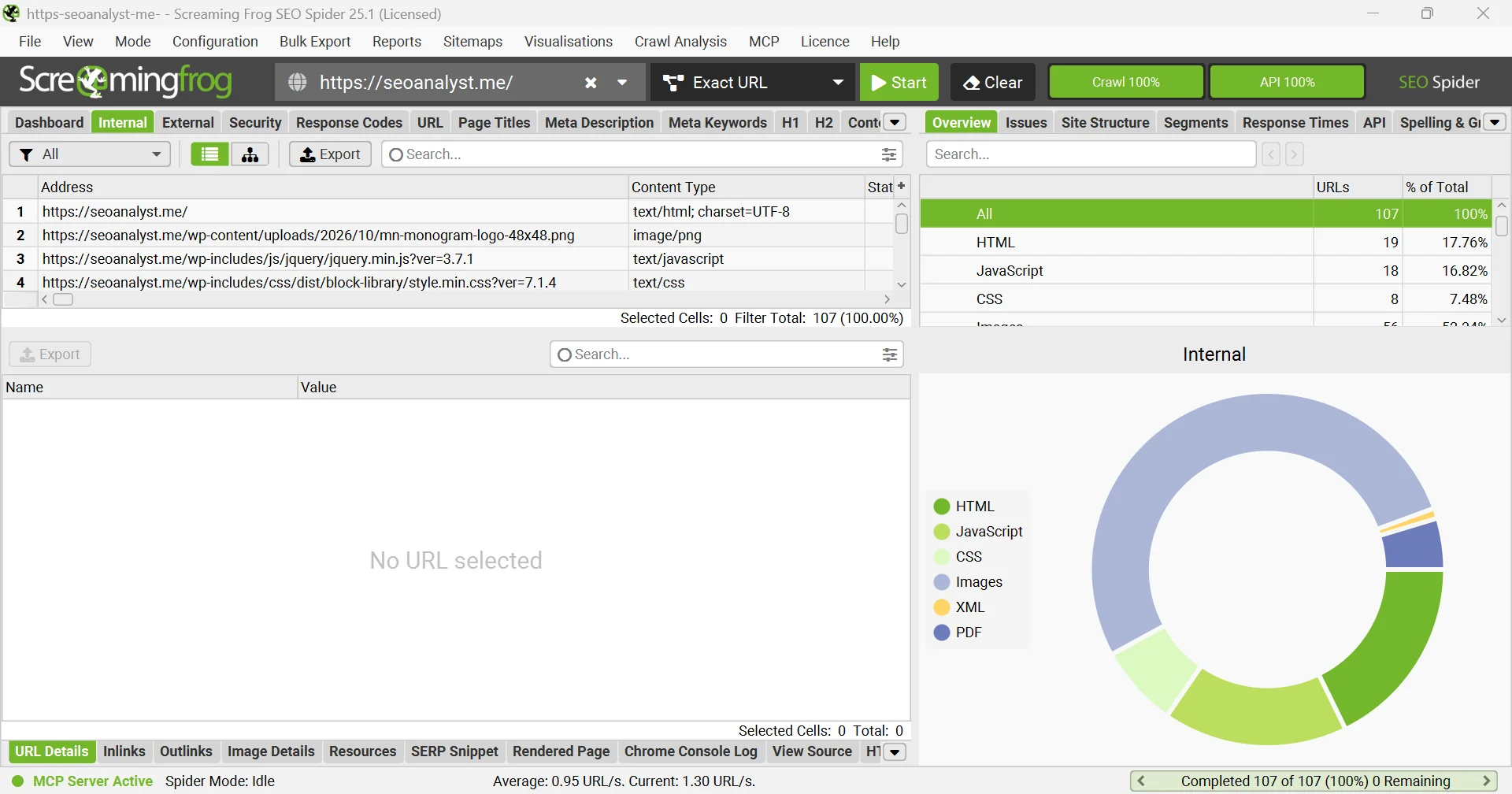
Most posts about a new Screaming Frog release repeat the changelog. I installed V25.1, connected it to Claude over MCP and tested what changed, so you can see what each feature does and where it helps.
What’s new in Screaming Frog V25+?
Screaming Frog SEO Spider 25.0 was released on 3 November 2026 (release notes ↗). The headline change is JSON configuration that an AI assistant can read and edit through the built-in MCP server. Around it sit MCP debugging help, full List Mode over MCP, a Custom Dashboard, Configurable Issues, Auto Throttle, Filename Patterns, a Social tab and Markdown export. Everything below was tested on version 25.1.
The one-line version
V24 let Claude run a crawl. V25+ lets Claude set the crawl up. That is the change that matters for automation.
Every headline feature at a glance
| Feature | What it does |
|---|---|
| JSON config + MCP config tools | JSON config files Claude can read and change. |
| MCP debugging | Richer crawl progress and an official FAQ tool. |
| List Mode over MCP | Claude can switch to List Mode and crawl a supplied set of URLs. |
| Markdown export | View any stored page as Markdown, or bulk export all pages. |
| Network Idle (new default) | Rendering waits until network activity goes quiet. |
| Auto Throttle | Slows down on 429s, 503s and dropped connections, then recovers. |
| Configurable Issues | Disable issues or change their type and priority. |
| Custom Dashboard | Charts, counters and tables you can save, share and export. |
| Exclude by link path | Skip links by where they sit on the page, such as filters. |
| Social tab | Checks Open Graph and X Card tags and images. |
| Filename Patterns, scheduling, CLI | Export name tokens, schedule controls, CLI pause and resume. |
| New issues | Two hreflang checks, empty anchors, missing image title. |
Screaming Frog V24 vs V25+: what’s actually different?
Many posts credit V25 with the Claude integration. That is wrong: the official MCP server arrived in version 24.0 on 19 May 2026 ↗. V25+ builds on it so the assistant can configure the crawl as well as drive it.
| Capability | V24.x | V25+ |
|---|---|---|
| Claude / MCP | Introduced: run crawls, analyse and export | Adds config, list mode and debugging tools |
| Crawl configuration | Set in the app, saved as .seospiderconfig | JSON, readable and editable by Claude; old format still supported |
| List Mode through MCP | Not fully supported | Fully supported |
| Crawl diagnostics for the assistant | Basic progress | Detailed progress and an FAQ tool |
| Markdown page content | No native export | View, bulk export and MCP format |
| Fragile or rate-limited hosts | Manual speed settings | Auto Throttle with connection-failure retries |
| Issue severity | Fixed defaults | Configurable per issue |
| Reporting view | Standard tabs and Overview | Custom Dashboard |
| Export file names | Manual or preset | Filename Patterns with tokens |
| CLI crawl lifecycle | Start and export | Pause, resume and delete crawls |
How does Claude work with Screaming Frog V25+?
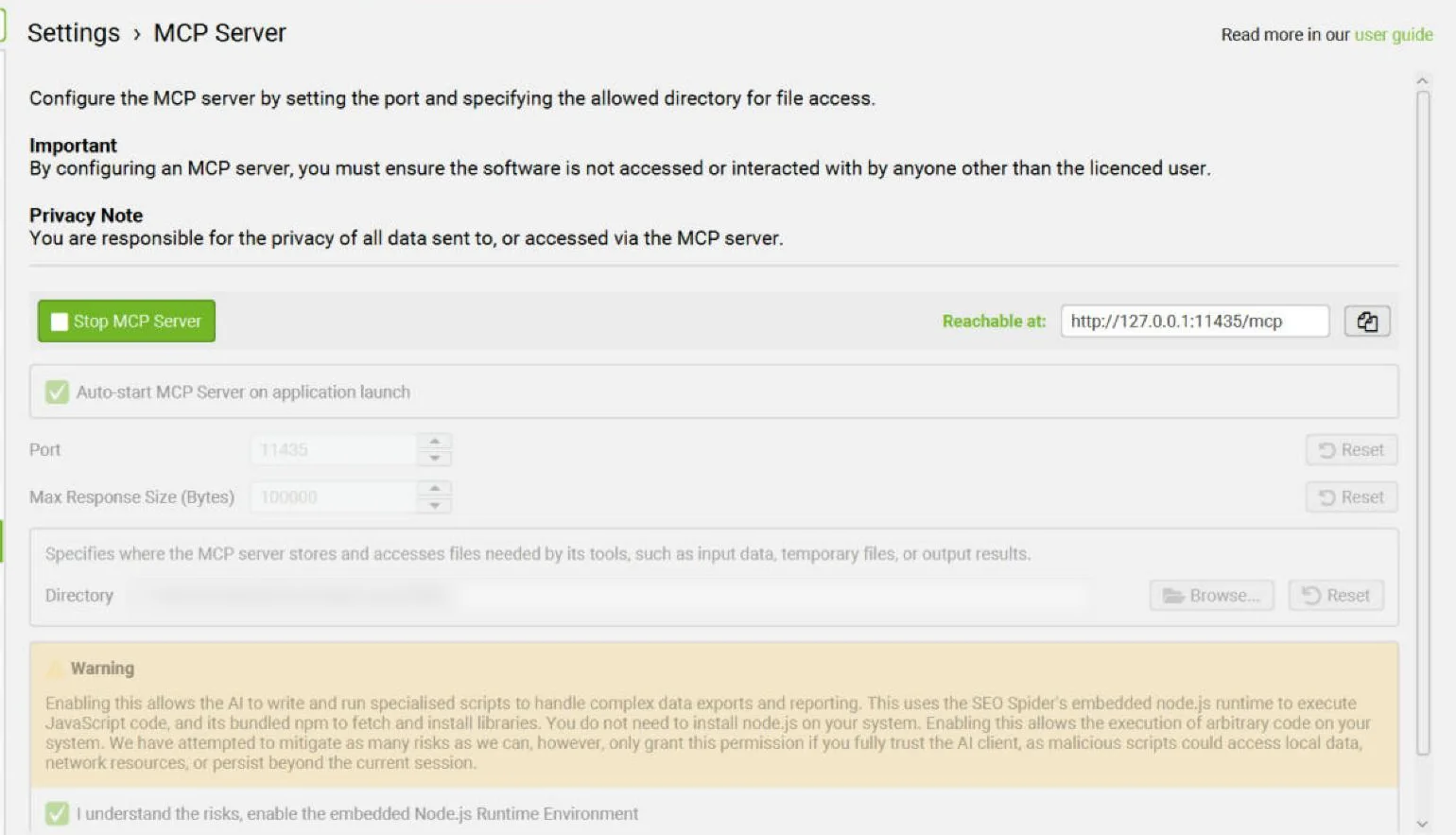
The SEO Spider ships its own MCP server. Claude connects to it and calls tools to configure, crawl, export and analyse. It needs a paid licence and database storage mode, and Node tools stay off until you enable them (MCP server guide ↗).
Set it up in five steps
- In the SEO Spider, open File › Settings › MCP Server, enable the server and accept the Node.js runtime.
- Download the official Claude Desktop extension (.mcpb) for STDIO or Streamable HTTP.
- In Claude Desktop, go to Settings › Extensions › Advanced settings › Install extension.
- Quit Claude fully (on Windows, from the system tray), reopen it and check Settings › Developer shows the server running.
- Ask Claude to list the SEO Spider config categories. A list back means you are connected.
STDIO
Claude starts the Spider headless.
No interface. You ask Claude to load a saved crawl by its ID.
Streamable HTTP
The Spider stays open on screen.
You watch every action Claude takes. Screaming Frog recommends it if you want to review data as Claude works.
What Claude can now configure
Asked for its configuration categories, the V25.1 MCP returned 37, from crawl scope, user agent and speed to issue overrides, embeddings, custom JavaScript and prompts for OpenAI, Gemini, Ollama and Anthropic.
// sf_list_config_categories (excerpt, V25.1)
{ "name": "linkPathExcludeManager",
  "description": "Link path exclude: regexes that stop links being followed by where they sit in the page." }
{ "name": "performanceConfig",
  "description": "Performance ('Speed'): how fast the crawl may go and how it reacts when a host pushes back." }
How it helpsAgencies can keep one config per client and let Claude adapt it per audit, such as switching on rendering for a JavaScript site, without rebuilding settings by hand.
Let Claude change settings the safe way
Step 1
Read the schema
sf_list_config_categories, then sf_get_config_sub_schema for the category you need.
Step 2
Read current values
sf_get_config_spider shows what is set now, so nothing unrelated changes.
Step 3
Write, then verify
sf_set_config_spider sends only the change. Read the values again to confirm.
One trap: partial updates leave other fields alone, but lists are replaced, not merged. If Claude adds one exclude rule without resending the existing ones, the old rules disappear.
Before changing any SEO Spider setting, read its schema and current values.
Change only what this task needs, resend every entry of any list you edit,
then show me the values before and after.
When a crawl fails
The progress tool flags a crawl that stopped after the start URL as a likely failure, and an FAQ tool gives Claude Screaming Frog’s official answers on 403s, 429s, Cloudflare and rendering before it diagnoses.
How it helpsA blocked or failed crawl gets flagged and explained before anyone reads the data, so you don’t send a client an audit built on three crawled pages.
Two safety habits: API keys stay in the app (the connect tool never accepts one), and because Claude Desktop uses tokens fast, save exports to files and start a new chat per job.
The new V25+ features, one by one
For each feature: what it does, where to find it, and how it helps in a real audit.
JSON config
Saved configurations are now JSON, readable in a text editor and editable by Claude. Old .seospiderconfig files still load. JSON file and CLI usage aren’t fully documented yet, so test before switching scheduled jobs. One catch I found: an API key pasted into a custom JavaScript snippet travels inside the config, so check it before sharing or committing.
How it helpsTeams can review config changes like code: compare two versions, see exactly what changed between audits, and roll back when a crawl suddenly behaves differently.
Configurable Issues
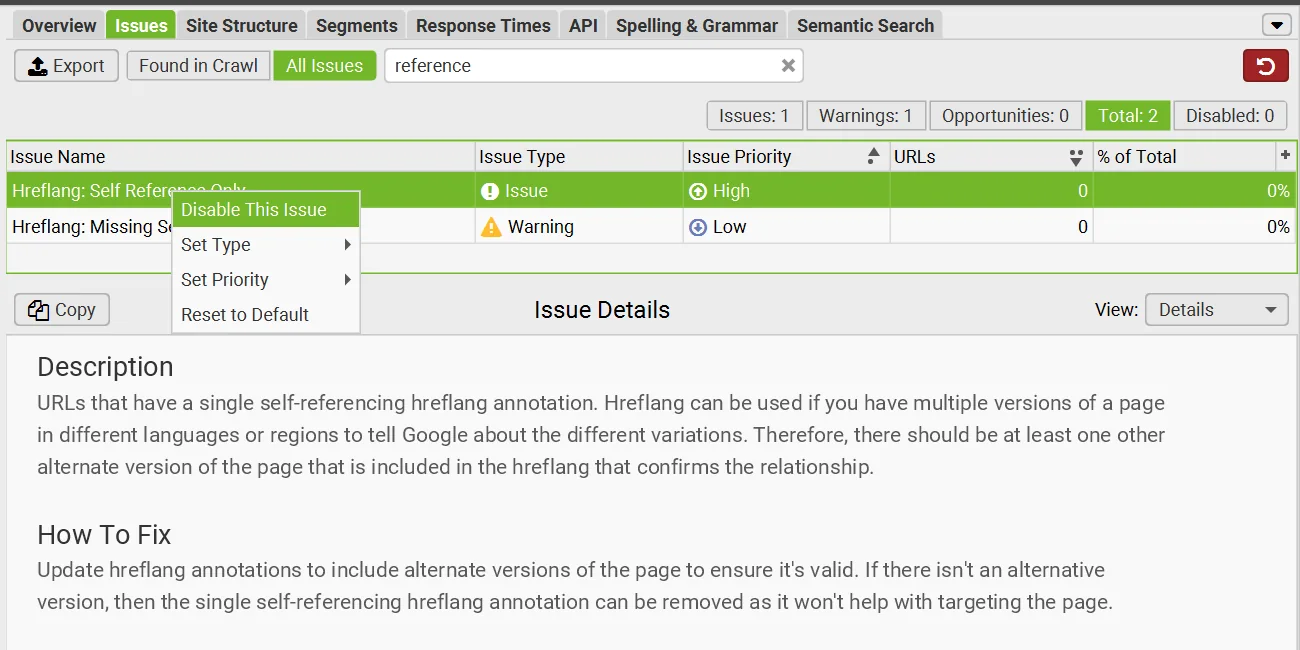
Right-click any issue in the Issues tab to disable it or change its type (Issue, Warning, Opportunity) and priority. You can select several at once.
How it helpsYour issue list matches your own audit priorities, so clients see high-priority items first instead of a wall of generic warnings to triage.
Auto Throttle
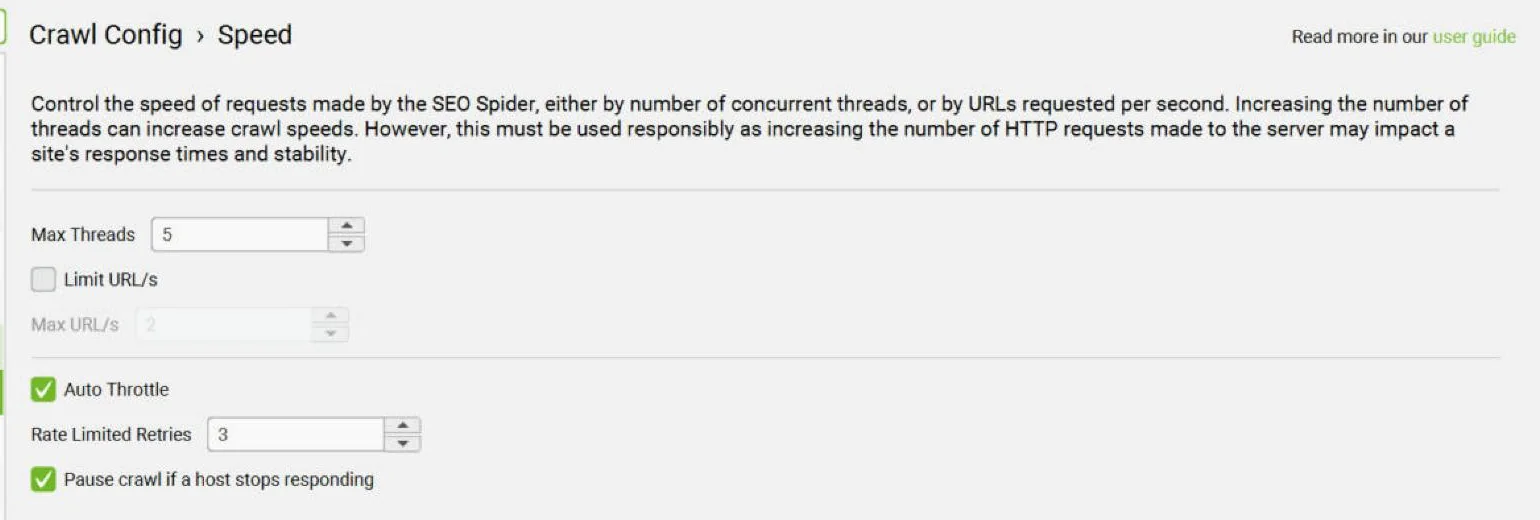
The crawler slows down when a host returns 429 or 503 responses or drops connections, recovers gradually, and pauses if the host stops responding. A new Connection Failure Retries setting sits under Spider › Advanced.
How it helpsYou can crawl a fragile staging server or a rate-limited ecommerce site without straining it, and without reporting 5xx errors your own crawler caused.
Markdown view and export
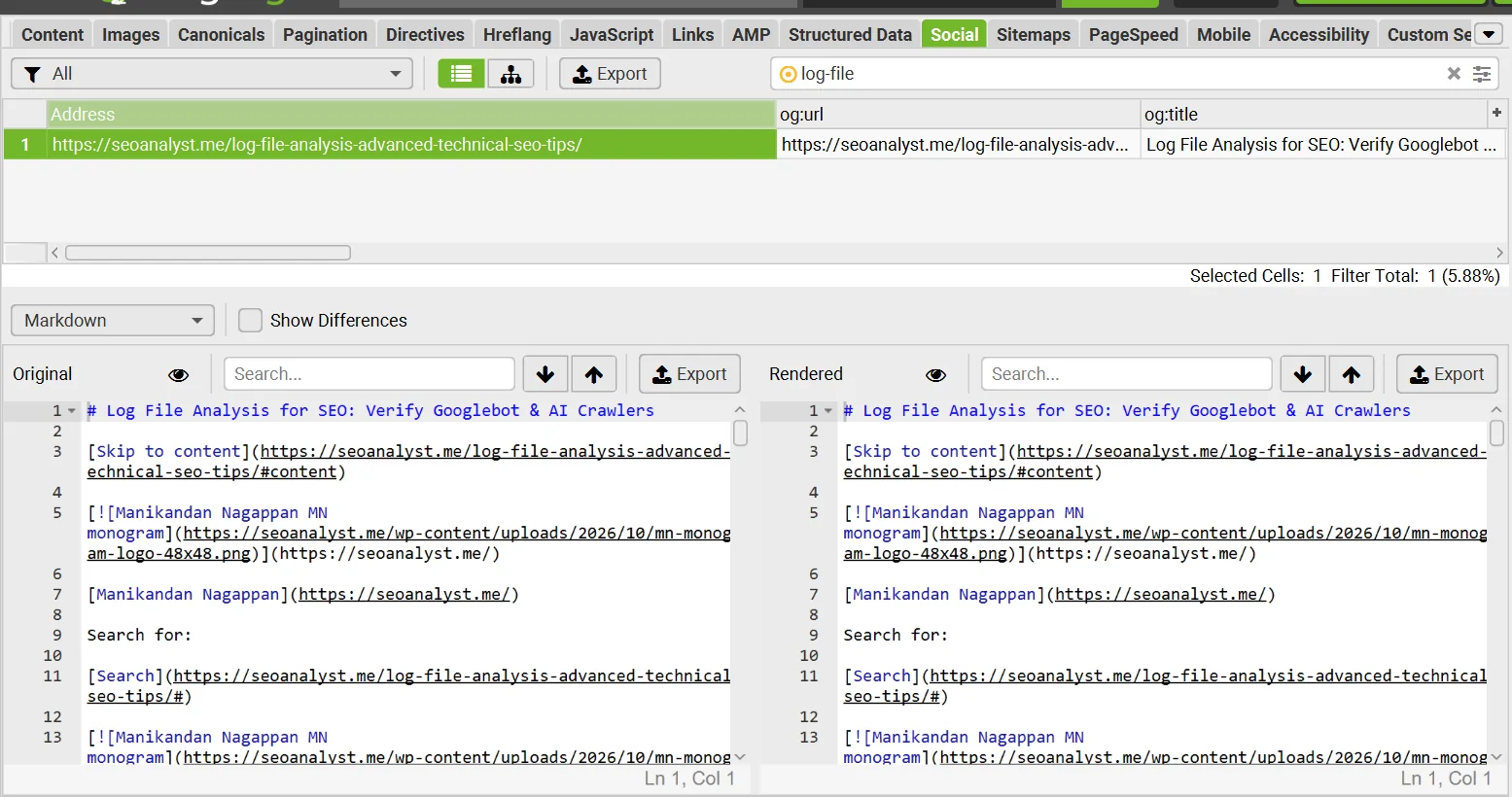
With Store HTML or Store Rendered HTML enabled, the View Source tab gains a Markdown option, and Bulk Export › Web › All Page Markdown exports every page. Through MCP, page content can be requested as MARKDOWN.
How it helpsYou can give Claude one page, or feed hundreds into embeddings, without HTML noise, and test whether each page answers its question clearly.
Custom Dashboard
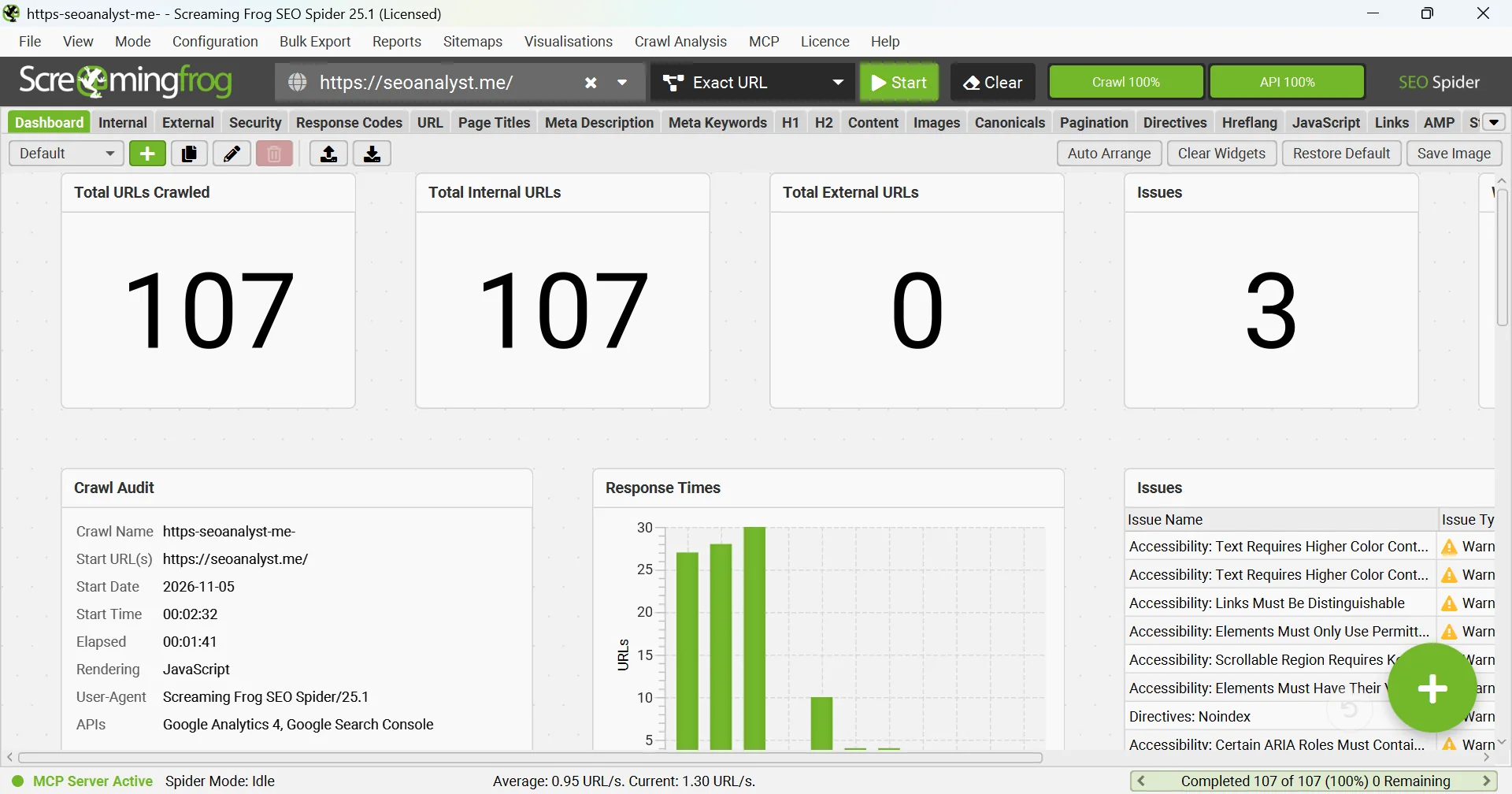
The new Dashboard tab takes chart, counter and table widgets. Click + to start, then save, share or export the view. It presents crawl data; it does not add new data. The MCP has no dashboard tool, so build these in the app.
How it helpsLeadership gets a one-screen health view of indexability, errors and priority issues, without an analyst exporting CSVs and building charts after every crawl.
Social tab
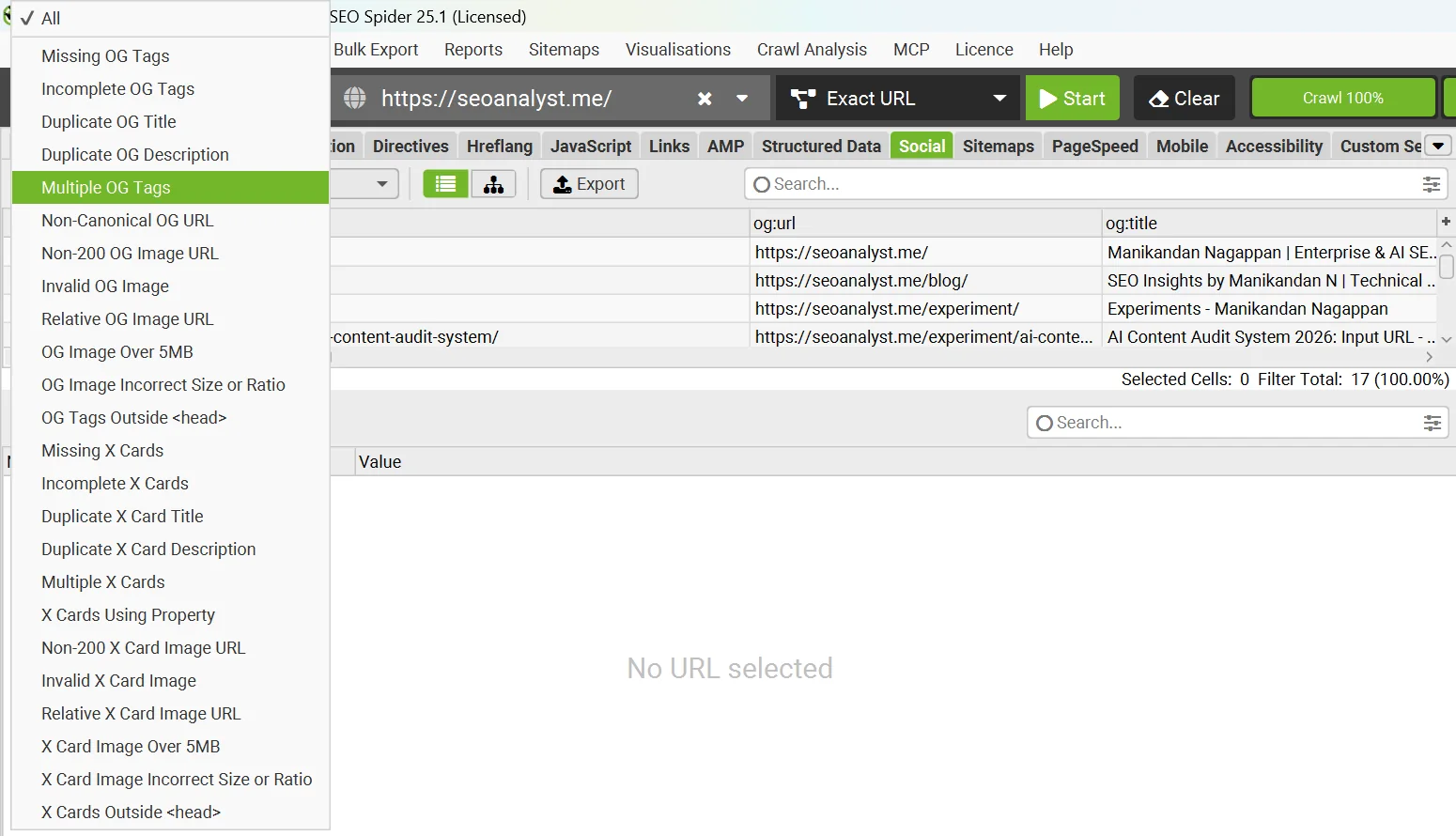
The Social tab checks Open Graph and X Card tags: missing, incomplete or duplicate tags, image errors, sizes and tags placed outside the head. No source shows it affects AI answers.
How it helpsMarketing teams catch broken LinkedIn or Slack previews before a campaign link goes out, rather than finding a missing image after it has been shared.
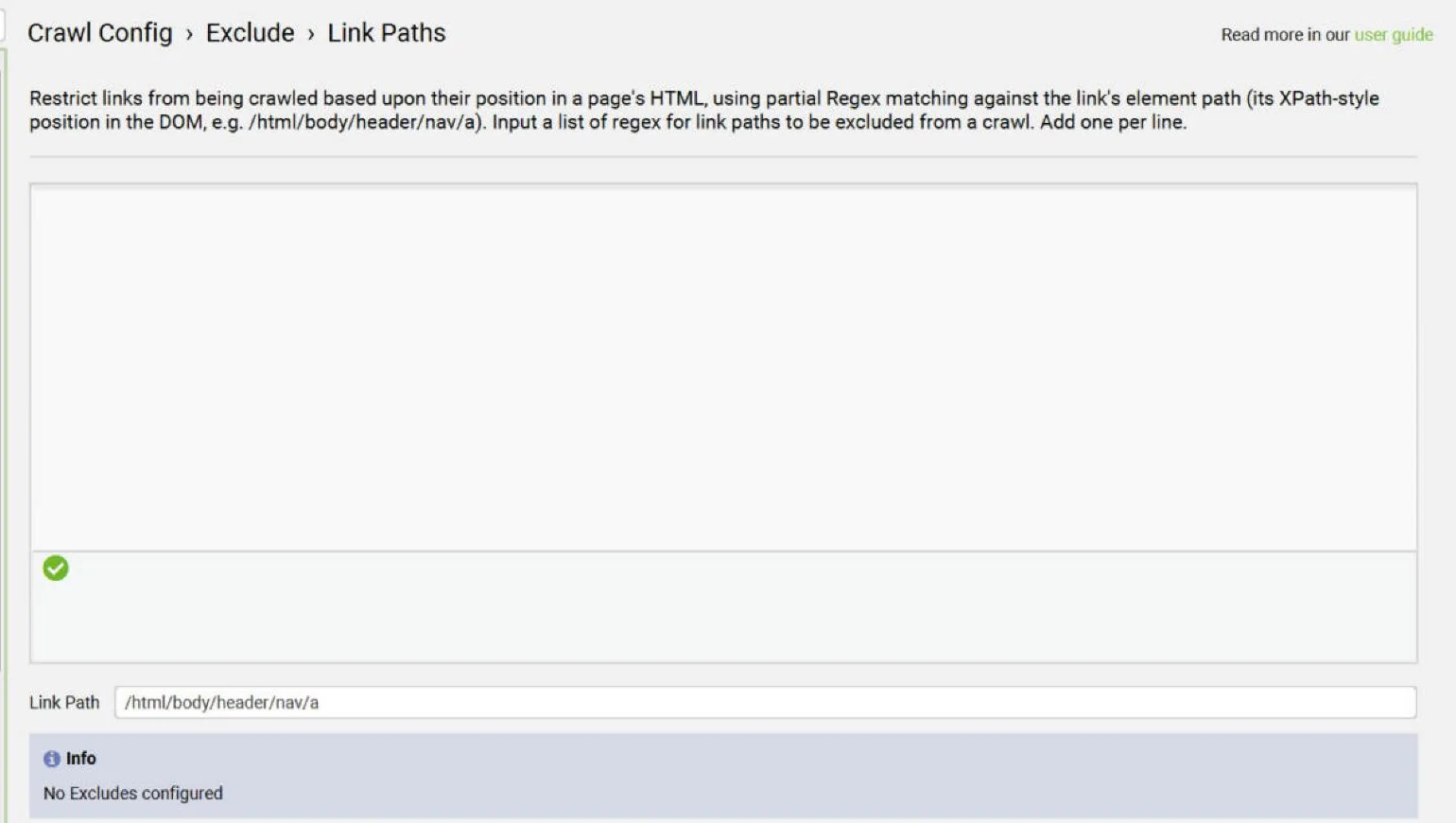
Exclude links by link path
Stop links being followed based on where they sit in the page, such as a filter block, even when their URLs share no pattern. A page linked only from that block drops out of the crawl.
How it helpsOn faceted ecommerce sites you can stop the crawler following filter links, so crawl time and internal-link data focus on the pages that matter.
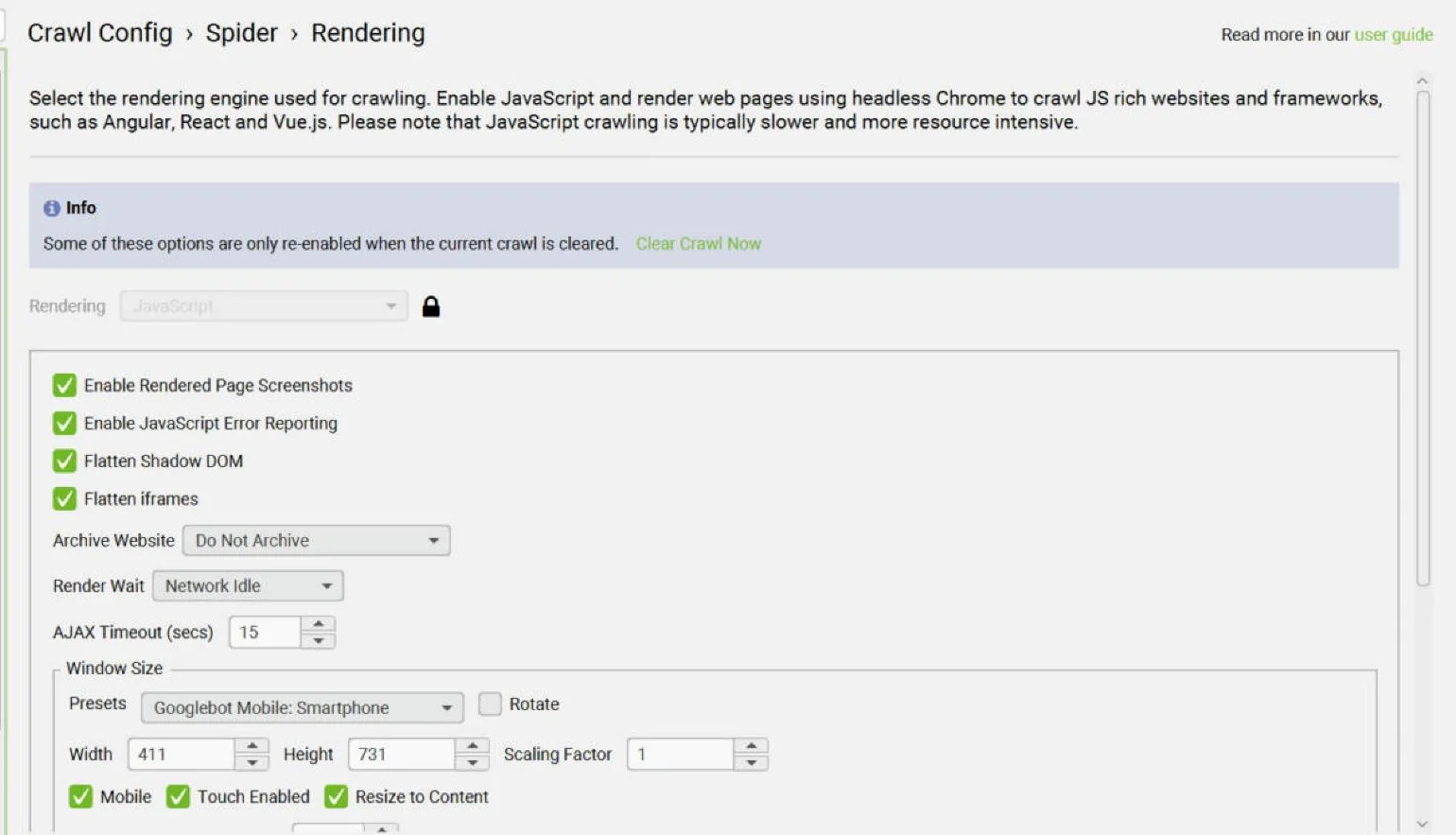
Network Idle rendering
Network Idle is the new default wait for JavaScript rendering. It waits until network activity and the event loop go quiet, which Screaming Frog describes as closer to how Google decides a page has finished rendering.
How it helpsContent that JavaScript adds a moment after load is less likely to be missed, so you don’t flag thin content or missing links that users actually see.
Filename Patterns, scheduling and CLI
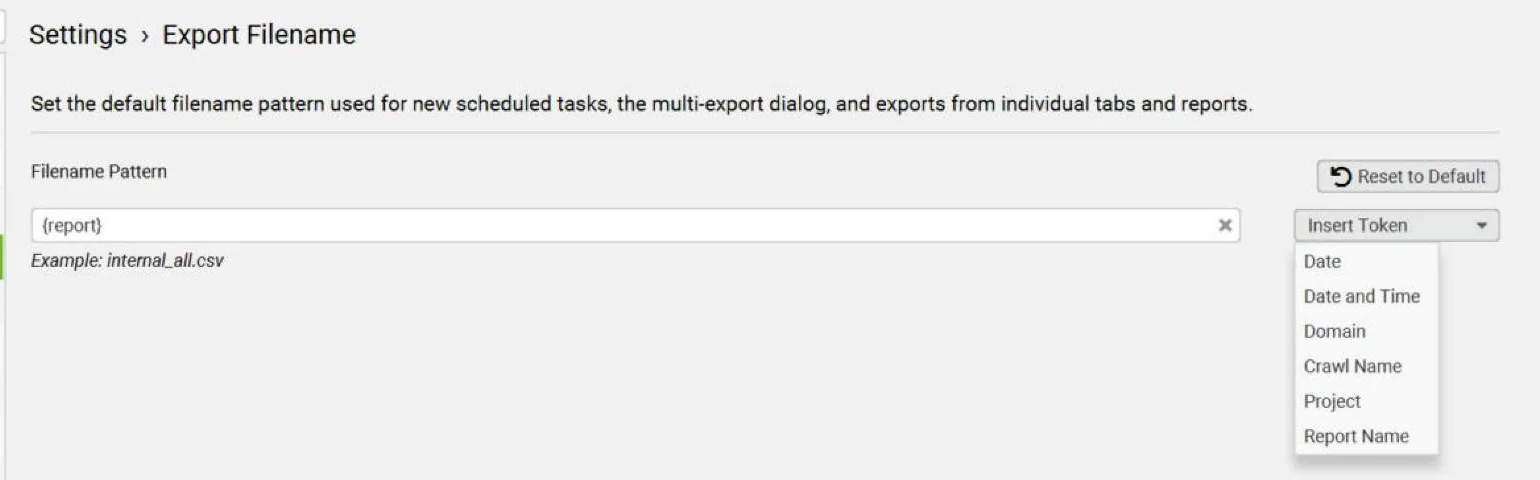
A new Export Filename setting defines the default name for scheduled tasks, multi-exports and tab exports. Insert Token offers Date, Date and Time, Domain, Crawl Name, Project and Report Name; the default is {report}. Schedules gain enable, disable, Run Now and pause. The CLI adds pause, resume and delete; check –help for exact syntax, as some commands aren’t documented yet.
How it helpsWeekly exports arrive with predictable names, so scripts, dashboards and crawl comparisons can pick them up automatically without anyone renaming files.
New issues
Four checks join the Issues tab: Hreflang Self Reference Only, Hreflang Mismatch with HTML Lang Attribute, Pages With Empty Anchor Tags and Missing Image Title. The two hreflang checks matter most on multilingual sites. Missing image titles are low priority for most audits.
How it helpsInternational sites can catch pages that declare one language in hreflang and another in the HTML lang attribute, a mix-up that muddles language targeting.
How to use Screaming Frog V25+ for AEO and GEO audits
Screaming Frog doesn’t simulate AI answers. It shows whether pages can be found, read and trusted, which is what Google says matters: “There are no additional requirements to appear in AI Overviews or AI Mode, nor other special optimizations necessary.” A page must be indexed and eligible for a snippet, and you don’t need AI text files or special markup (Google: AI features and your website ↗). Google’s newer guide adds that the site must be included in Search generative AI features in Search Console (AI optimization guide ↗).
Access
See what AI crawlers see
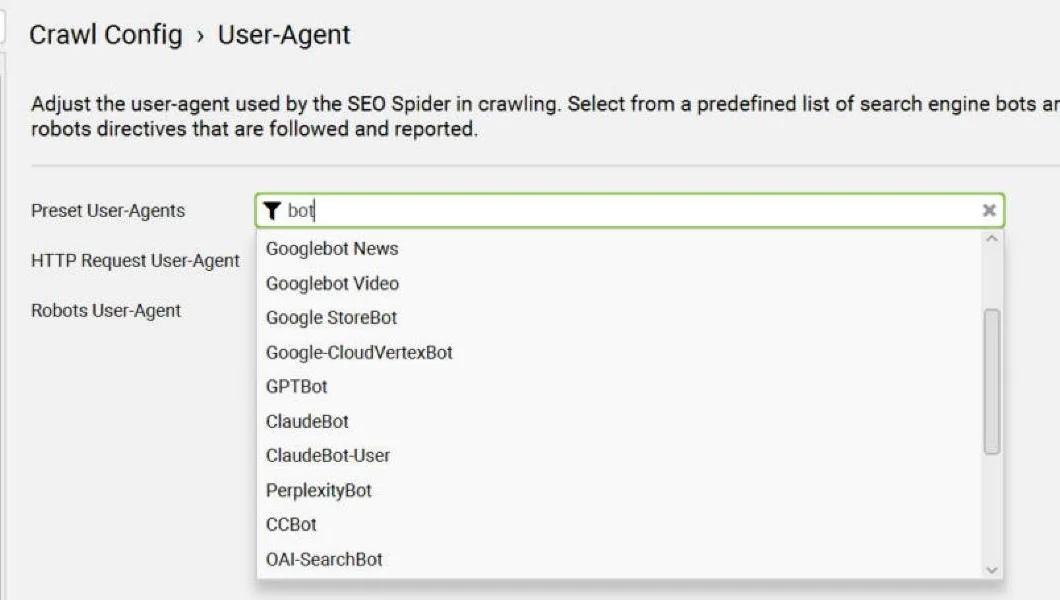
Crawl as GPTBot or OAI-SearchBot and compare raw with rendered Markdown. Text that appears only after rendering may be missed by bots that skip JavaScript.
Focus
Audit priority URLs
Ask Claude to crawl your top pages in List Mode with sf_crawl_from_list, instead of re-crawling the whole site.
Content
Check answer-readiness
Pair Markdown with embeddings, Semantic Similarity and Low Relevance to spot off-topic or duplicate pages.
Judgement
Use in-crawl AI prompts
Run OpenAI, Gemini or Claude prompts per URL. New in V25: Allow Missing Prompt Target Content, so a prompt still runs when one input is blank.
Trust
Validate structured data
Rich-result validation was updated. Check that markup matches what’s visible on the page.
Bots
Verify AI bots in logs
The Log File Analyser 7 verifies AI bots such as GPTBot. It is a separate product and licence (LFA 7.0 ↗).
For deeper render checks, see my JavaScript SEO render gap guide, and for bot traffic, log file analysis for SEO and AI crawlers.
The Two-Ledger Audit: a repeatable AI-search workflow
V25+ makes it easy to let Claude crawl and judge in one go. The risk is one score that mixes measured facts with model opinion, so I keep two ledgers.
Ledger 1: crawler facts
What the SEO Spider measured.
Status, indexability, canonicals, structured data, hreflang, rendered content. Repeatable.
Ledger 2: model judgement
What an LLM thinks of the content.
Direct answer, entities, evidence and dates. Useful, but an opinion.
- Step 1
Pick the URLs
10 to 50 priority pages from Search Console, AI referral traffic or your content plan.
- Step 2
Let Claude configure
Rendering, Store HTML and Store Rendered HTML, user agent. Use the safe read-then-write loop.
- Step 3
Crawl in List Mode
Wait until the crawl and the post-crawl analysis both finish before reading results.
- Step 4
Export Ledger 1
Response codes, indexability, structured data, hreflang and Social issues.
- Step 5
Build Ledger 2
Export Markdown and ask Claude to grade each page on answer, entities and evidence.
- Step 6
Act in order
Fix Ledger 1 first: a page that can’t be indexed can’t be cited. Ledger 2 guides editorial work.
Switch to List Mode and crawl only these URLs. Store rendered HTML.
When the crawl and post-crawl analysis are complete, give me two sections per URL:
1) Spider facts: status, indexability, canonical, structured-data errors, hreflang.
2) Your judgement of the Markdown: direct answer, definitions, entities, evidence.
Never mix the two. Report missing values as missing.What V25+ can’t do, and should you upgrade now?
Know the limits
Where V25+ stops
- It is not an AI-answer simulator. Passing every check doesn’t guarantee a citation.
- No built-in entity or sentiment analysis.
- No llms.txt validation.
- Some CLI commands, such as renaming crawls and managing projects, have no published syntax yet.
Upgrade advice: one user reported crashes on launch day, and Screaming Frog offered V24 or a beta with a likely fix. That is one report, not a pattern. Upgrade interactive work now; for scheduled or CLI jobs, re-run one known crawl on V25.1 first and back up your V24 configs.
Screaming Frog V25+ questions.
When was Screaming Frog 25 released?
SEO Spider 25.0 was released on 3 November 2026. This guide was tested on version 25.1.
Did Screaming Frog 25 add the Claude MCP integration?
No. The MCP server arrived in version 24.0 in May 2026. Version 25 added JSON config and tools that let Claude change crawl settings.
Is the Screaming Frog MCP free?
No. It needs a paid licence and database storage mode. AI provider usage is billed separately.
Can Screaming Frog export pages as Markdown?
Yes, from version 25. Enable Store HTML or Store Rendered HTML, then use the Markdown view or Bulk Export › Web › All Page Markdown.
Does Screaming Frog check llms.txt?
No. There is no native llms.txt check. Google says you don’t need AI text files to appear in AI Overviews or AI Mode.
Can Screaming Frog measure AI citations?
No. It provides crawl evidence; track citations and AI referrals separately.
Keep reading
 Technical SEO · Deep diveLog file analysis for SEO and AI crawlersVerify Googlebot, find crawl waste and check which AI crawlers reach your site.
 Technical SEO · Field guideJavaScript SEO 2026: Google, AI Crawler Render Gap AnalysisCan Google and AI crawlers see your JavaScript content? Run the Render Gap Ladder.
 How-to · Field guideSEO checklist for Google & AI search28+ checks for access, content quality, trust and AI visibility, with a workbook.
Testing Screaming Frog V25+ with Claude?
Send me what you’re seeing. I read every note.