
Technical SEO / AI search / Setup guide
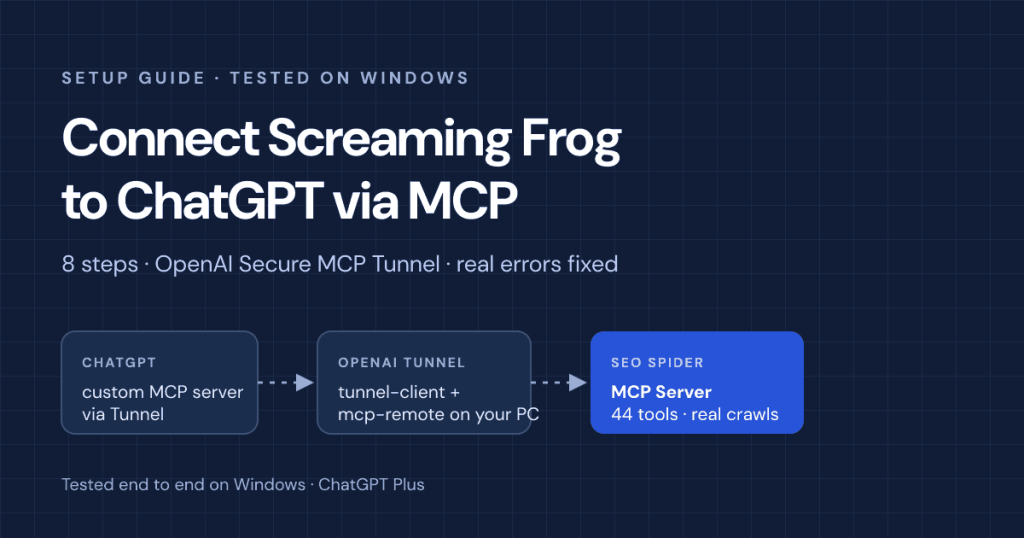
How to connect Screaming Frog to ChatGPT via MCP in 8 steps.
I connected Screaming Frog’s SEO Spider to ChatGPT through OpenAI’s Secure MCP Tunnel on Windows. Here are the 8 steps, the errors you’re likely to meet, and how ChatGPT’s report compared with Claude’s on the same crawl.

By Manikandan Nagappan · AI SEO Expert in Chennai
I already had Screaming Frog’s SEO Spider working with Claude, which I tested in my Screaming Frog V25+ features guide. So I asked: can ChatGPT do the same? Screaming Frog’s tutorial ↗ says yes, through an OpenAI tunnel. I followed it on my Windows PC and kept every screen, including the ones where it broke.
Can you connect Screaming Frog to ChatGPT?
Yes, and ChatGPT Plus is enough. Turn on the SEO Spider’s MCP Server, create a Secure MCP Tunnel and a restricted API key on the OpenAI Platform, run OpenAI’s tunnel-client on your PC with mcp-remote as the bridge, then add a custom MCP server in ChatGPT with the Tunnel option. Your PC and the SEO Spider must stay on while you use it.
What changed since most guides were written
Developer mode is gone. Custom MCP servers now live under ChatGPT Plugins › + › Add custom MCP server. If a guide sends you to a Developer mode toggle, it is out of date.
Key takeaways
- Plus works. I used Plus and a free Personal organisation on the OpenAI Platform.
- Download the plain Windows zip:
tunnel-client-<version>-windows-amd64.zip. - Keep
mcp-remotein the middle. I tested the direct route; it fails, and section 05 shows why. - Start with a quiet SEO Spider. One open pop-up inside it blocks every command from ChatGPT.
- Judge AI reports by insight, not score. PageSpeed gave the same page 87 in one run and 92 an hour later.
What do you need, and how does it connect?
| You need | Why | My setup |
|---|---|---|
| ChatGPT Plus or higher | Custom MCP servers aren’t on the free plan | Plus |
| OpenAI Platform account | Tunnels and their API keys are made at platform.openai.com, not in ChatGPT | Free Personal organisation |
| Screaming Frog SEO Spider, licensed | Its built-in MCP Server is what ChatGPT talks to | Licensed |
| Node.js installed on Windows | npx mcp-remote needs it. Check with node -v |
v24.14.1 |
| Windows PowerShell | Every command here is PowerShell, not Command Prompt | Windows PowerShell |
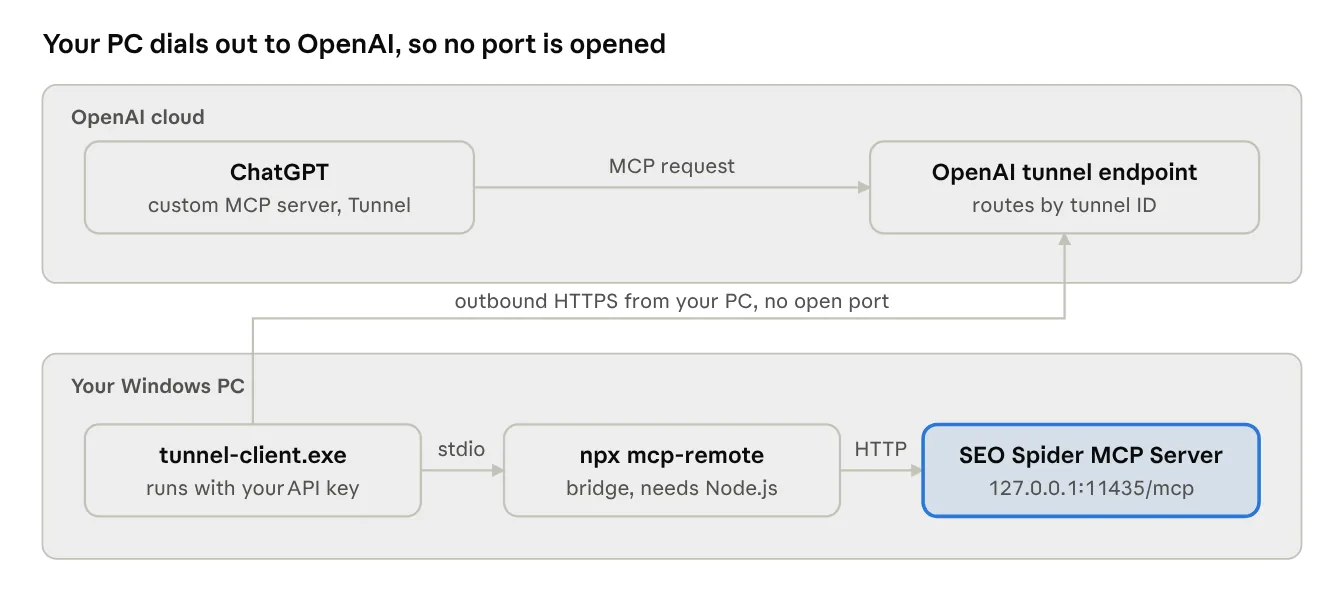
ChatGPT runs in the cloud. The SEO Spider runs on your PC at a local address such as http://127.0.0.1:11435/mcp; 127.0.0.1 always means “this computer”, so the internet can’t reach it. OpenAI’s tunnel-client bridges the gap by connecting outward from your PC.
How to connect Screaming Frog to ChatGPT in 8 steps
Each step happens in one place: step 1 in the SEO Spider, steps 2–3 on the OpenAI Platform, steps 4–7 in PowerShell and step 8 in ChatGPT.
Step 1: Turn on the SEO Spider’s MCP Server
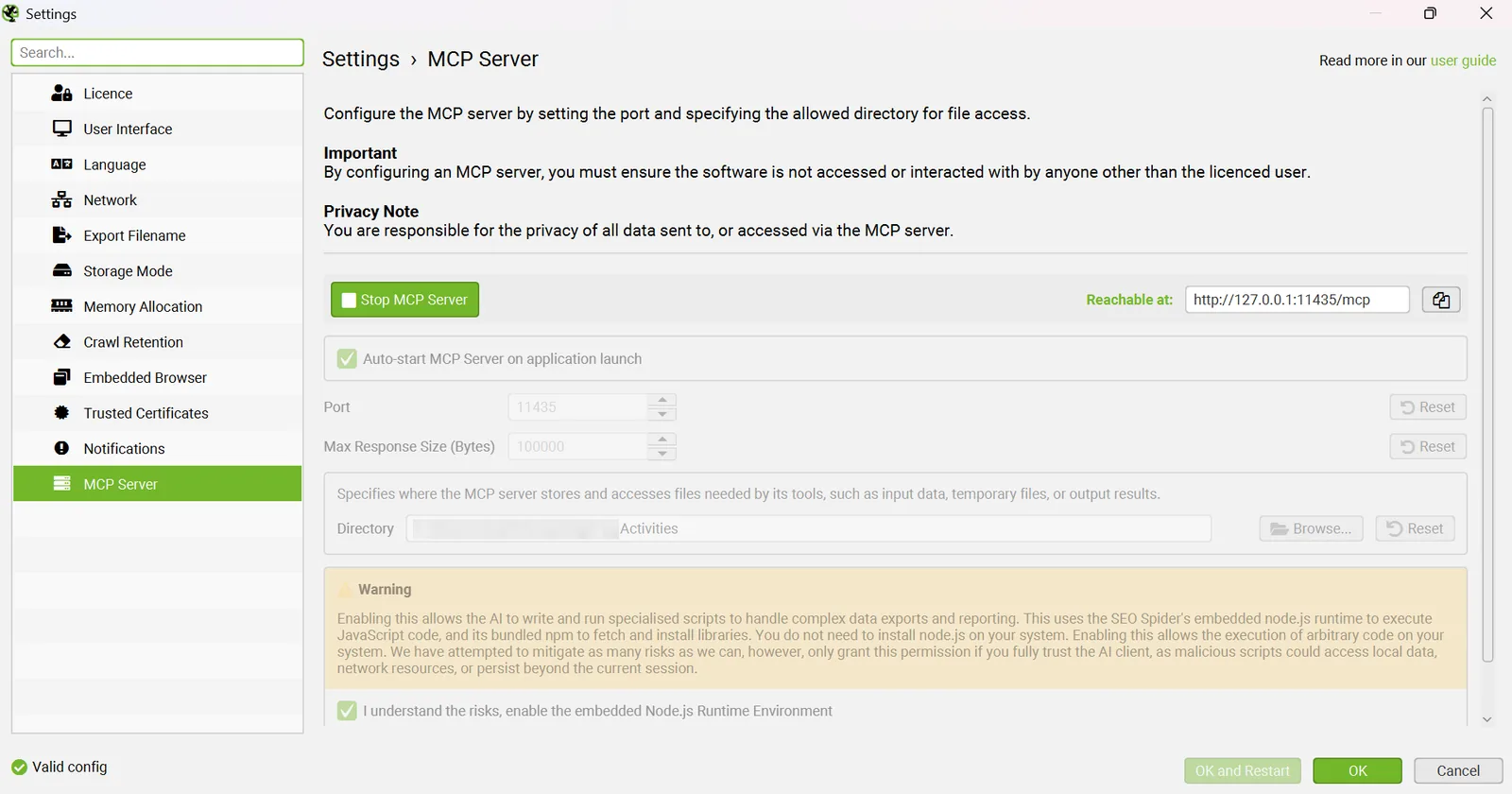
In the SEO Spider, open File › Settings › MCP Server, click Start MCP Server and tick “Auto-start MCP Server on application launch”. Note the Reachable at address. I kept the default, http://127.0.0.1:11435/mcp. The MCP Server itself is covered in detail in my guide to Screaming Frog V25+ and Claude MCP.
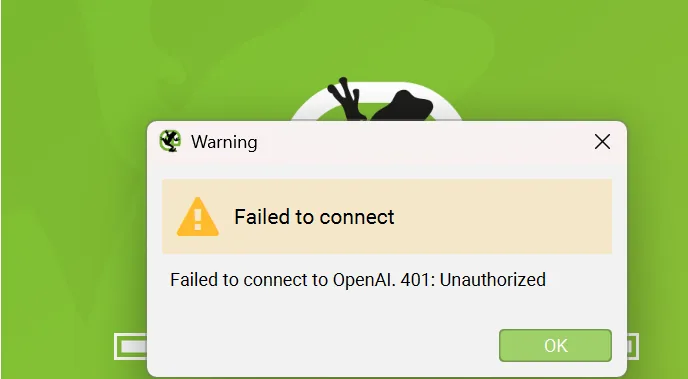
Then clear any pop-ups. While a dialog is open, the SEO Spider refuses every command from ChatGPT. Mine opened with “Failed to connect to OpenAI. 401: Unauthorized”, because its own AI features still used an expired OpenAI key. Update or remove that key under Configuration › API Access and restart. It is separate from the key in Step 3.
Step 2: Create a tunnel on the OpenAI Platform
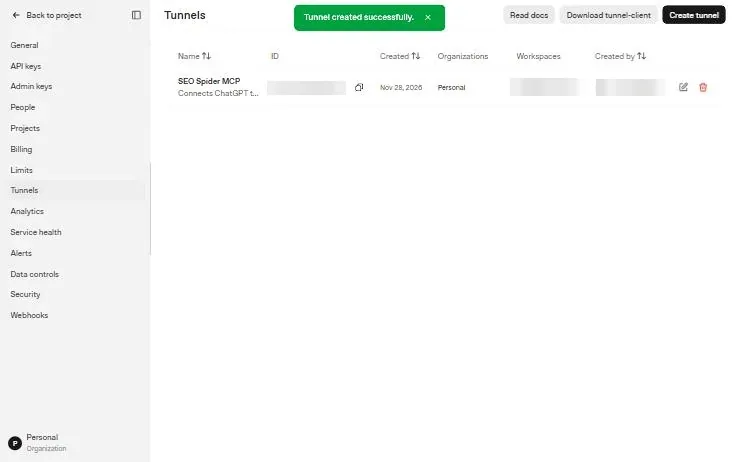
Go to platform.openai.com › Settings › Tunnels › Create tunnel. If the button is missing, widen the browser window. Name it, add the required one-line description, and select your ChatGPT workspace; skip that and ChatGPT never sees the tunnel.
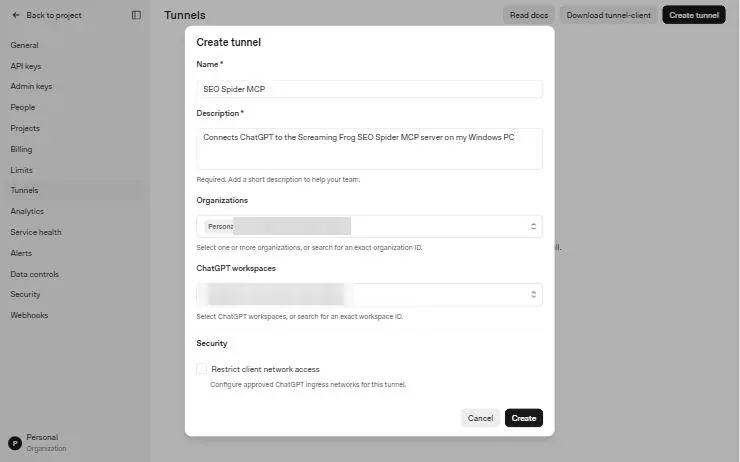
Click Create and copy the ID that starts with tunnel_. It is an identifier, not a password.
Step 3: Create a restricted runtime API key
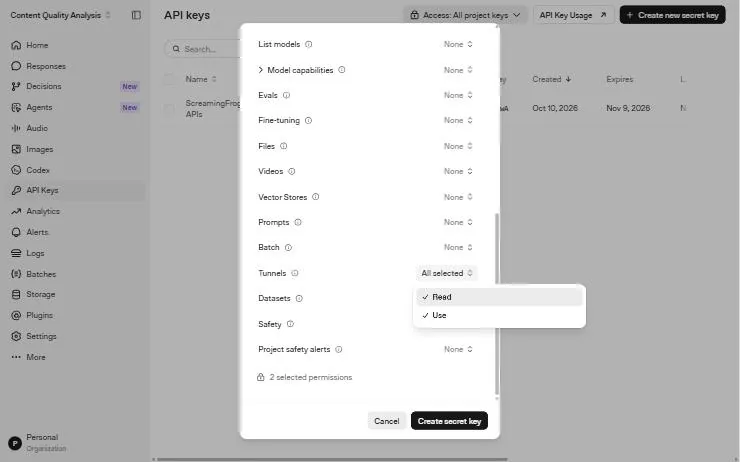
On API keys › Create new secret key, choose Restricted, scroll to Tunnels and select Read and Use. Leave everything else at None and copy the key once into a password manager.
Step 4: Download the right tunnel-client file
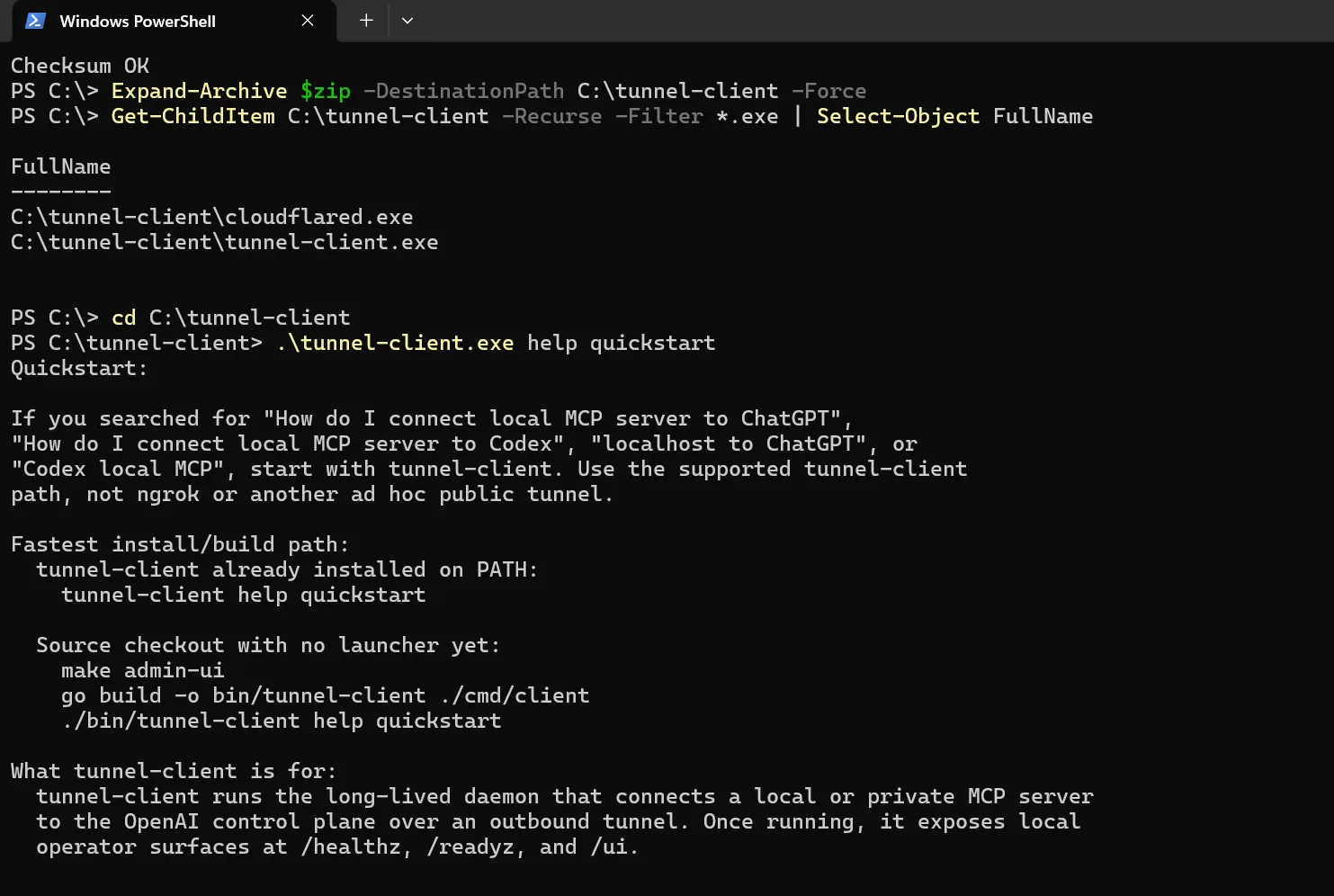
OpenAI’s tunnel-client releases page on GitHub listed 70 files for v0.0.21, and none was called “windows.exe”. For a 64-bit PC you want tunnel-client-v0.0.21-windows-amd64.zip (28.3 MB). Avoid “Source code (zip)”: it has no .exe, and PowerShell will say tunnel-client.exe “is not recognized”.
$zip = "$env:USERPROFILE\Downloads\tunnel-client-v0.0.21-windows-amd64.zip"
Invoke-WebRequest "https://github.com/openai/tunnel-client/releases/download/v0.0.21/tunnel-client-v0.0.21-windows-amd64.zip" -OutFile $zip
(Get-FileHash $zip -Algorithm SHA256).Hash   # compare with SHA256SUMS.txt
Expand-Archive $zip -DestinationPath C:\tunnel-client -Force
cd C:\tunnel-client
.\tunnel-client.exe help quickstart
For a newer release, change the version number in both places.
Step 5: Create the tunnel profile
Replace tunnel_YOUR_ID with your ID from Step 2:
.\tunnel-client.exe init --profile seo-spider --sample sample_mcp_stdio_local --tunnel-id tunnel_YOUR_ID --mcp-command "npx -y mcp-remote http://127.0.0.1:11435/mcp --allow-http"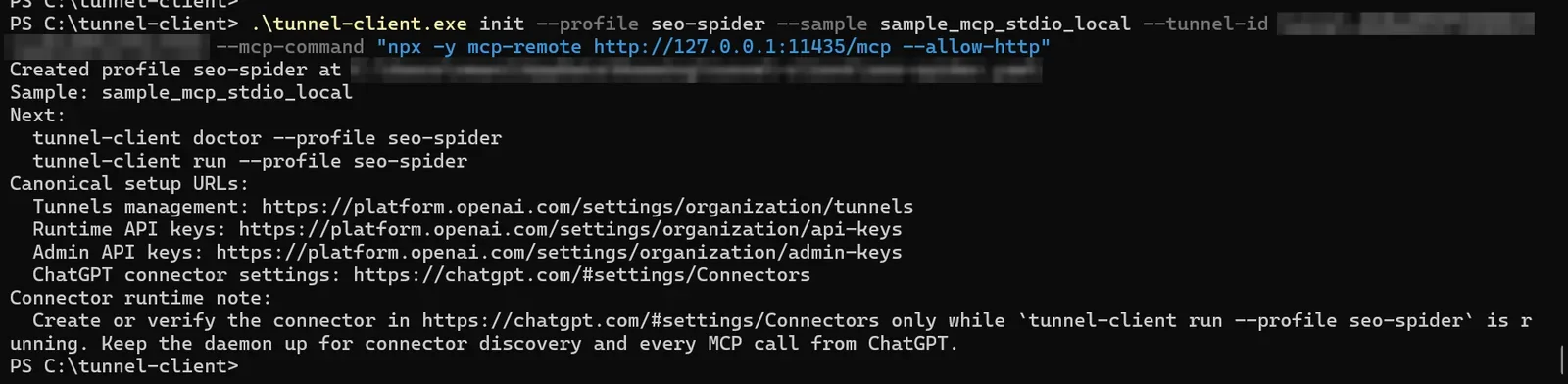
Step 6: Save the key and the startup script
New-Item -ItemType Directory -Force "$env:APPDATA\tunnel-client" | Out-Null
Read-Host "Paste API key" -AsSecureString | ConvertFrom-SecureString | Set-Content "$env:APPDATA\tunnel-client\key.enc"
PowerShell waits at Paste API key:. Paste the key there and nowhere else; you should see only asterisks. If you ever paste it into a command line by mistake, revoke it and make a new one.
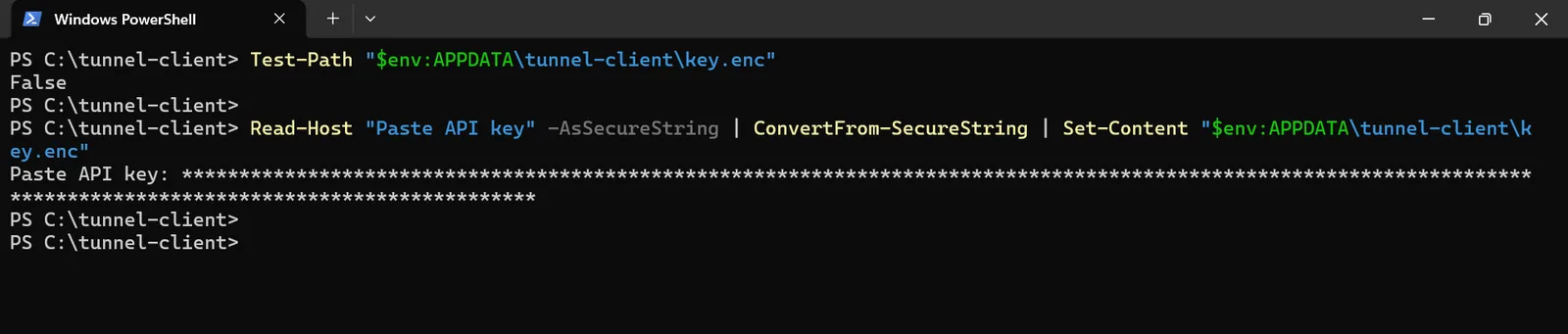
Then save these four lines as C:\tunnel-client\start-seo-spider-tunnel.ps1. They load the key and start the tunnel together:
$secure = Get-Content "$env:APPDATA\tunnel-client\key.enc" | ConvertTo-SecureString
$env:CONTROL_PLANE_API_KEY = [System.Net.NetworkCredential]::new('', $secure).Password
Set-Location C:\tunnel-client
.\tunnel-client.exe run --profile seo-spider
Step 7: Run the doctor check and start the tunnel
Run the script’s first two lines in PowerShell, then .\tunnel-client.exe doctor --profile seo-spider --explain. You want RESULT ok.
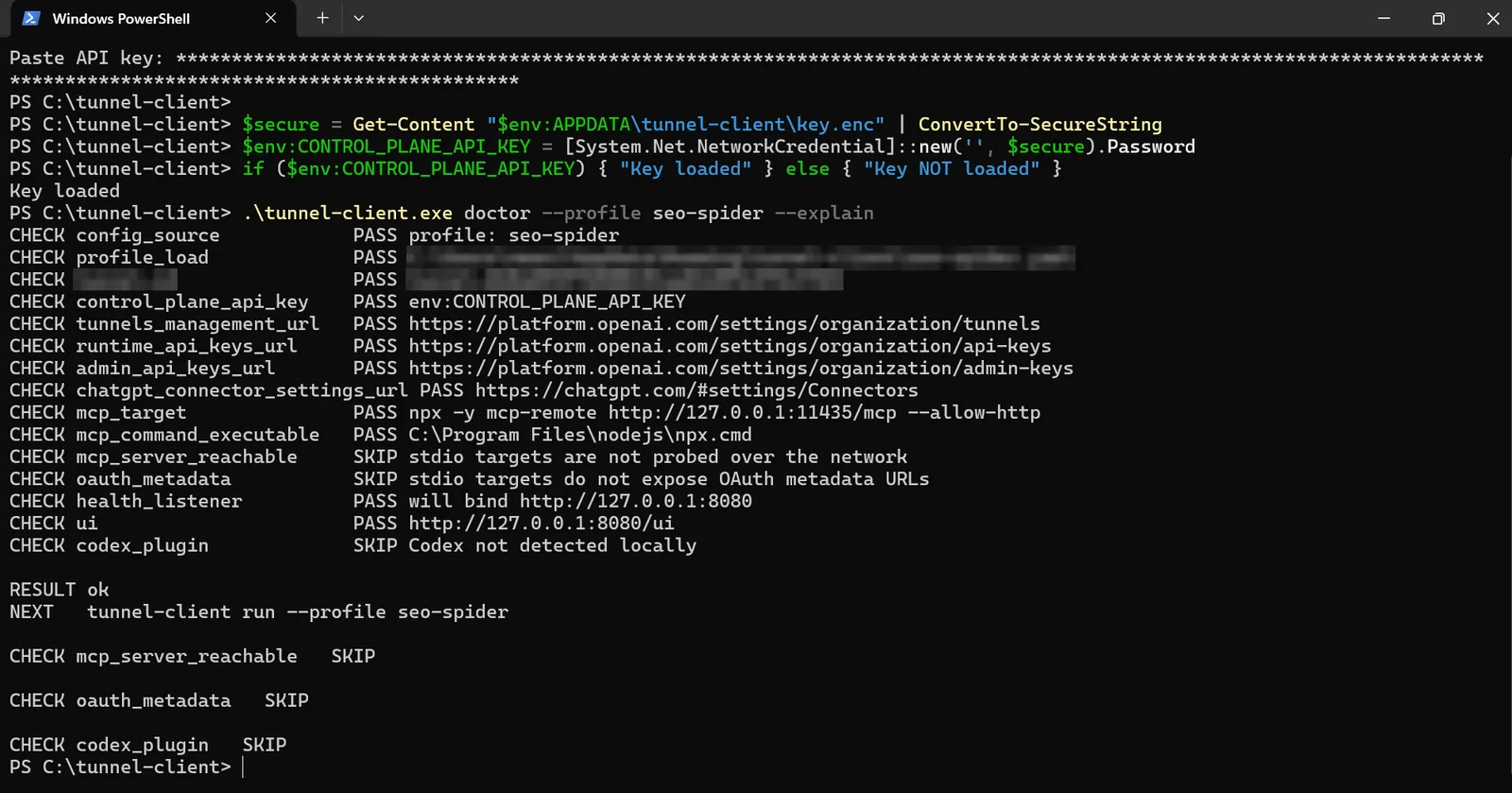
Now start the tunnel with the script and leave the window open:
powershell -ExecutionPolicy Bypass -File C:\tunnel-client\start-seo-spider-tunnel.ps1
Step 8: Add the server in ChatGPT and test it
With the tunnel running, open chatgpt.com/plugins › + › Add custom MCP server. Switch Connection to Tunnel (ChatGPT listed my tunnel as a button, so I didn’t paste the ID), set Authentication to No authentication, tick I understand and want to continue and click Create as a plugin.
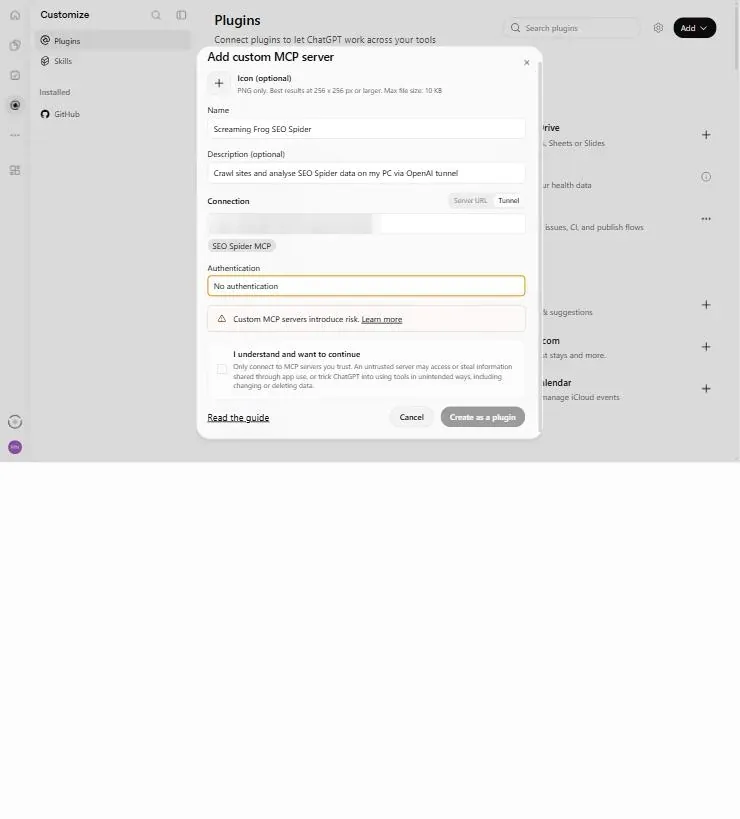
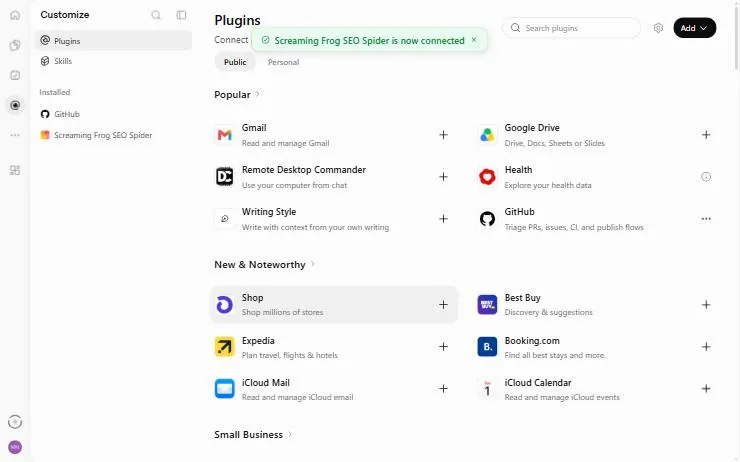
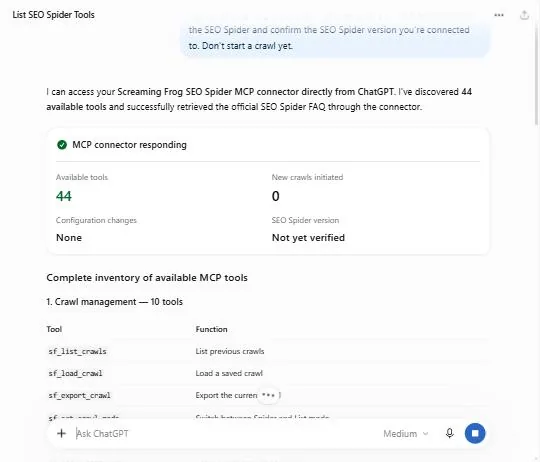
In a new chat, type @Screaming, pick the plugin and ask it to list its tools. Mine reported 44.
Which errors will you meet, and how do you fix them?
These three came from following the setup as written, so anyone can meet them.
“environment variable CONTROL_PLANE_API_KEY is not set”
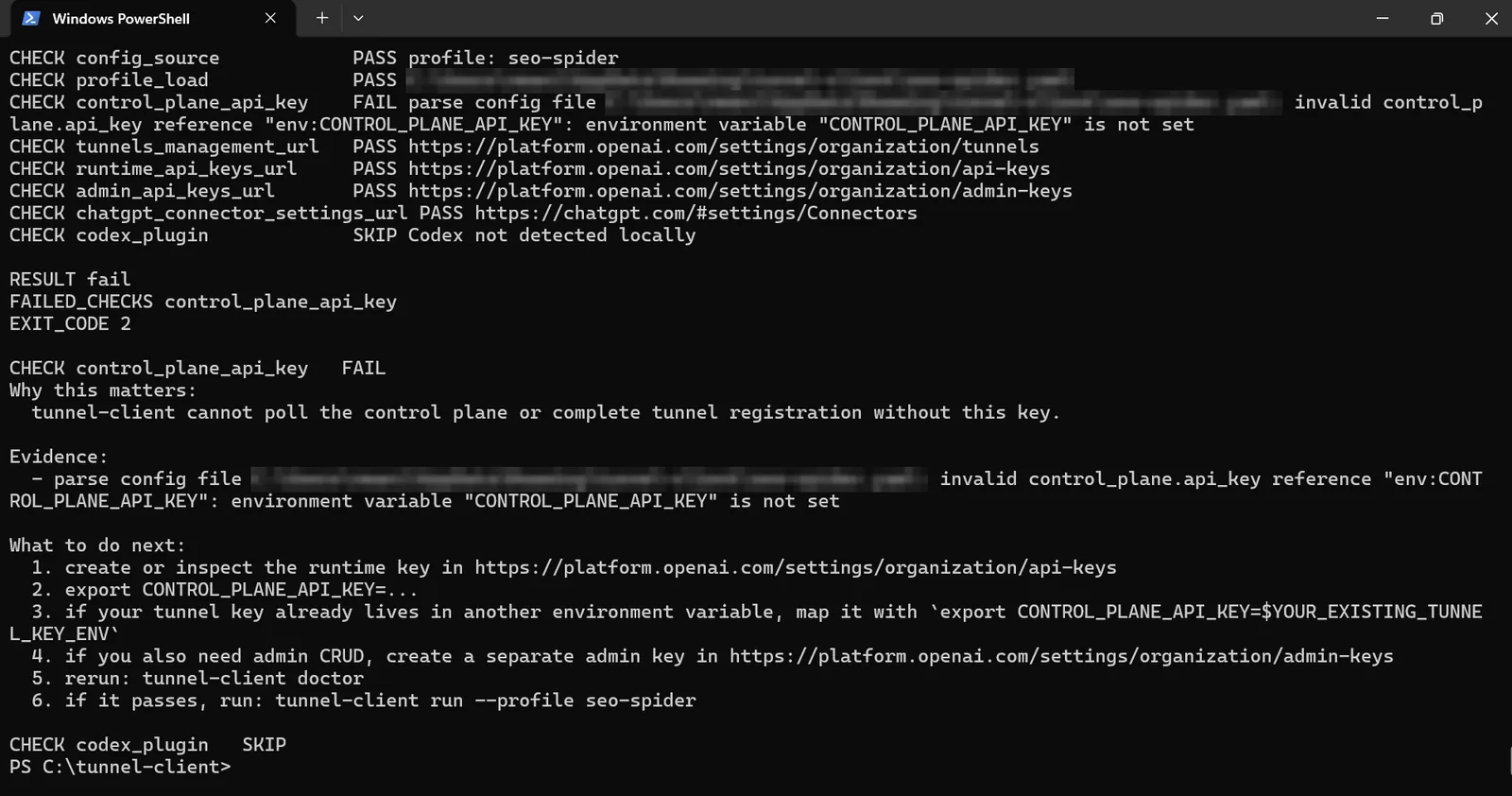
Cause: the key loads into one PowerShell window only, and every new window starts without it.
Fix: start the tunnel with the script from Step 6. For a one-off doctor check, run the script’s first two lines in that window first.
“A service needed to create the app is temporarily unavailable”
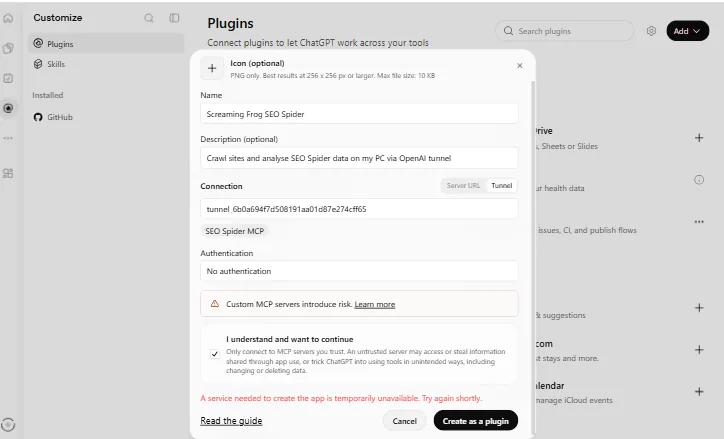
Cause: the tunnel log showed ChatGPT had reached my PC. The first reply failed (invalid_protocol_response, status 502), mcp-remote exited, and the tunnel restarted it on its own. A direct test to the SEO Spider answered normally.
Fix: press Ctrl+C in the tunnel window, start the script again and click Create once more. My retry worked; the root cause looked like a hiccup on the bridge’s first connection.
“Tool cannot be called currently. Please check the state of the Spider.”
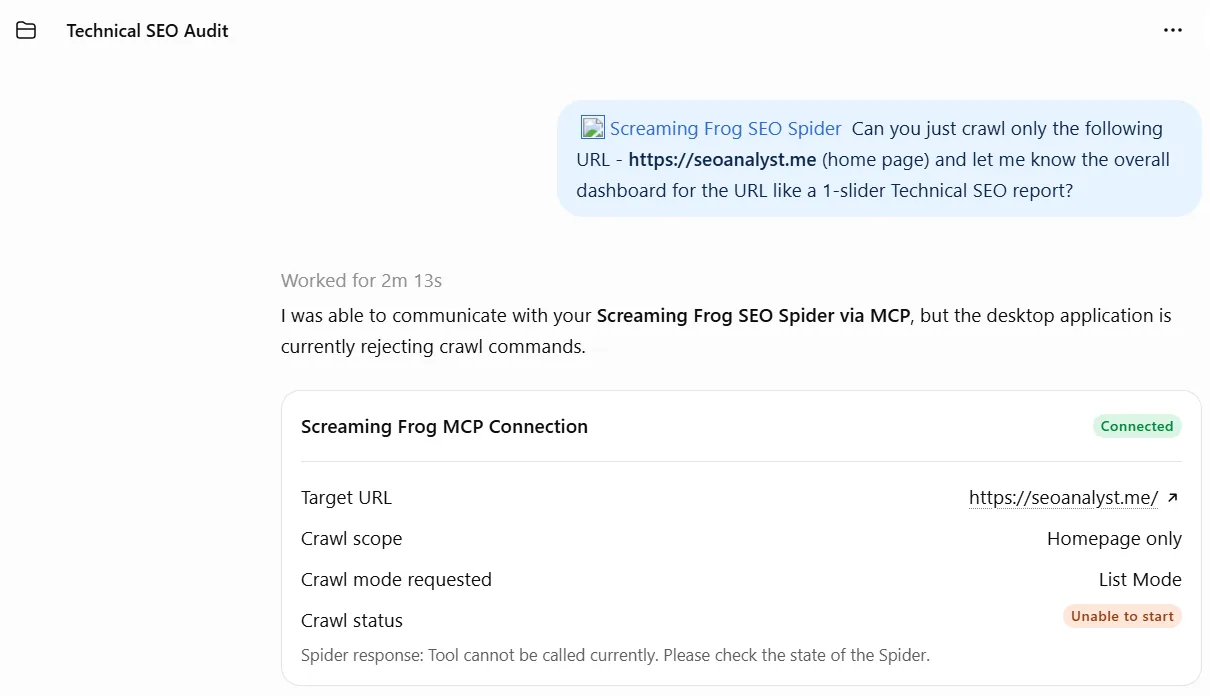
Cause: the SEO Spider was waiting on the 401 pop-up from Step 1. A dialog, a running export or a half-loaded crawl blocks it the same way.
Fix: bring the SEO Spider to the front, close any dialog, clear any old crawl and ask again. Don’t click around in it while ChatGPT works.
Why mcp-remote matters: what happens on the direct route?
Screaming Frog says not to point the tunnel straight at the SEO Spider’s URL, because the SEO Spider “doesn’t handle OAuth”. I wanted to know what that means in practice, so I tried tunnel-client’s built-in no-sign-in profile. The doctor check reached the SEO Spider but failed on oauth_metadata: “protected resource metadata missing resource”.
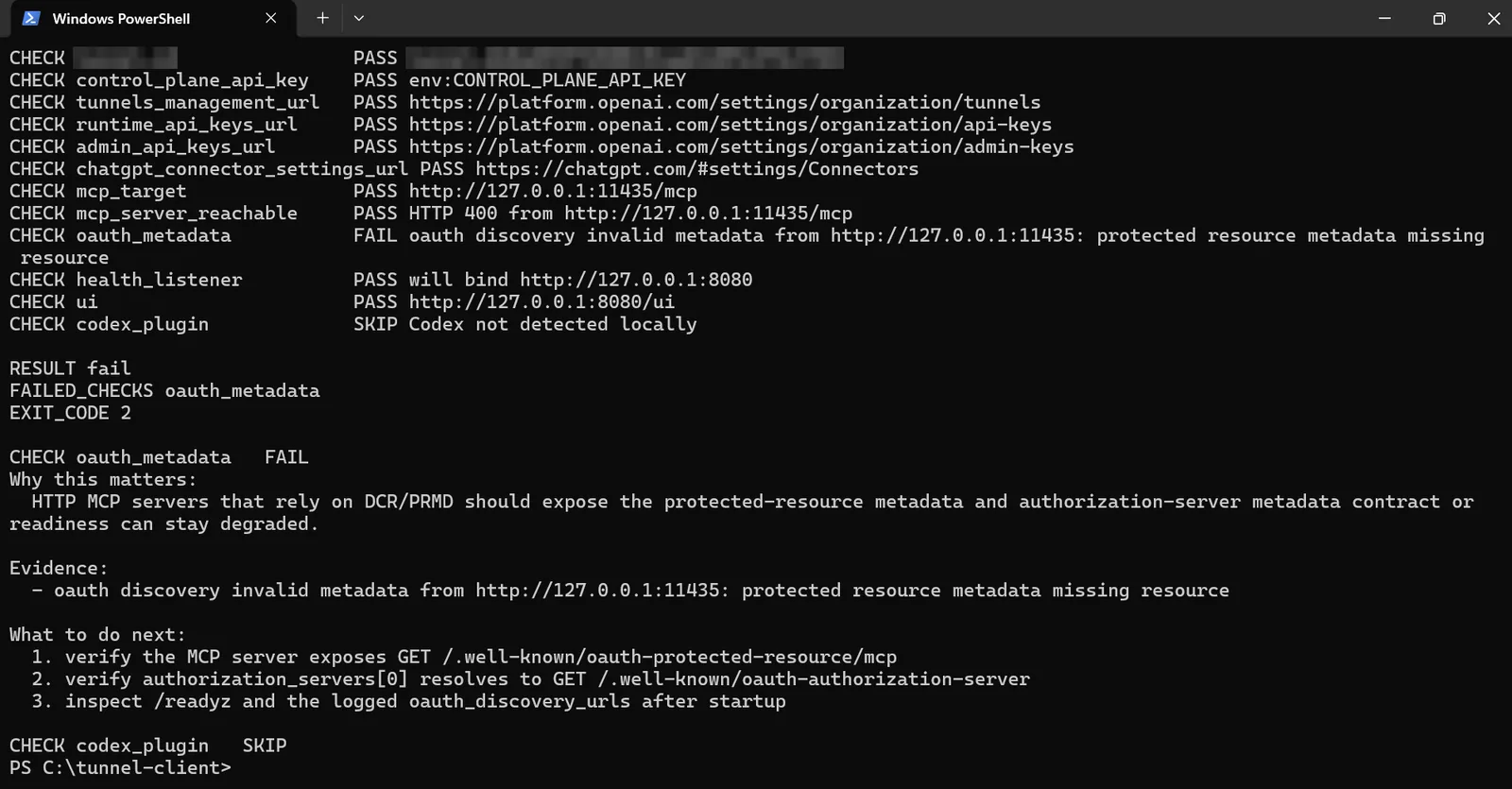
Before connecting directly, tunnel-client asks the server whether it needs a sign-in. A server without sign-in should answer “not found”. The SEO Spider sent back incomplete sign-in details, so the tunnel switched itself off: “startup catalog failed; control-plane polling disabled”. mcp-remote also looks for sign-in details but carries on when it finds none, which is why the official advice is right.
What did ChatGPT produce, and how did Claude compare?
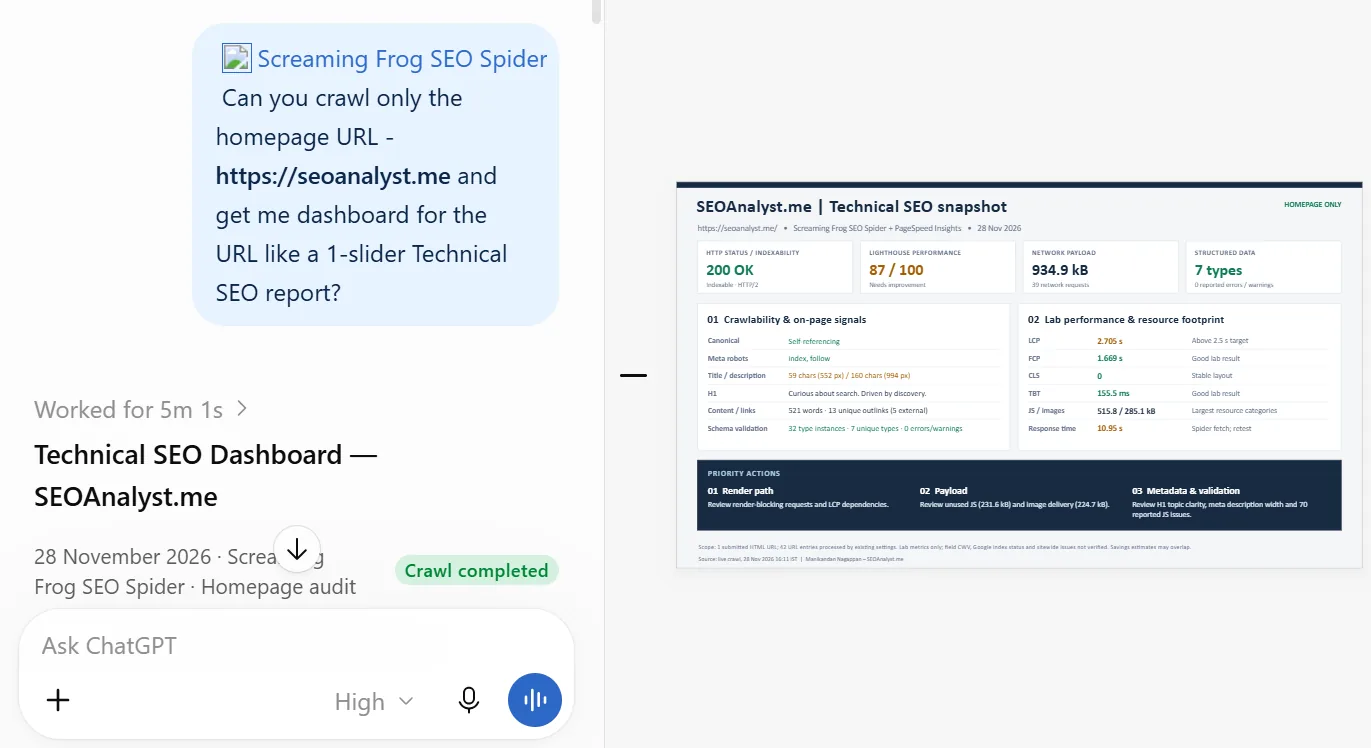
With the SEO Spider idle, I asked: “Crawl only the homepage URL https://seoanalyst.me and get me a dashboard like a 1-slider Technical SEO report.” ChatGPT worked for 5 minutes 1 second and returned this.
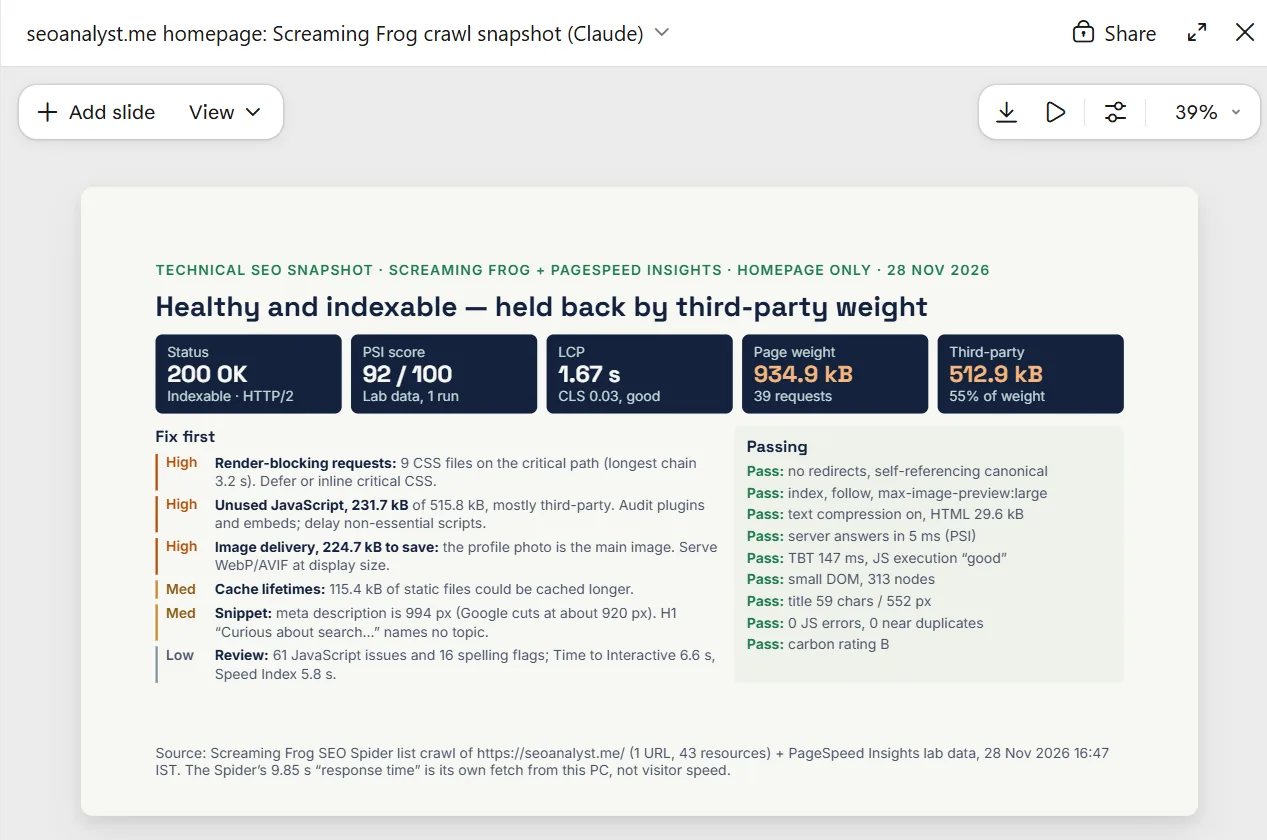
I sent the same prompt to Claude, which drove the same SEO Spider through Screaming Frog’s local connector, as in my Screaming Frog V25+ guide with Claude MCP.
| ChatGPT + SEO Spider (OpenAI tunnel) | Claude + SEO Spider (local connector) | |
|---|---|---|
| Time to report | 5 min 1 s | About 2 min |
| PageSpeed score / LCP | 87 / 2.705 s | 92 / 1.67 s |
| Page weight | 934.9 kB, 39 requests | 934.9 kB, 39 requests |
| Strongest insight | Lab metrics in one view: LCP, TBT, CLS, schema counts | Third-party code is 55% of page weight (512.9 kB) |
| Fix list | Three broad actions | Six ranked fixes plus nine passing checks |
What I learned
- Scores move between runs. Same page, same tool, an hour apart: 87 became 92. Judge an AI by how it reads and ranks the data. My Lighthouse guide covers why lab scores vary.
- The route affects speed. Part of ChatGPT’s extra time is the trip through OpenAI’s tunnel; Claude talked to the SEO Spider locally.
- Ignore the Spider’s “response time” here. It showed about 10 s because it measures its own fetch from my PC. PageSpeed measured the server at 5 ms.
Both agreed on the real work: render-blocking CSS, 224.7 kB of image savings, a meta description at 994 px (Google cuts around 920 px) and an H1 that names no topic. For me, Claude’s report was easier to act on. Run your own prompt on both; one test is a sample of one.
Is it worth it?
Yes, if you work in ChatGPT and want the SEO Spider’s real crawl data inside it. My first run took a weekend afternoon, almost all of it spent finding the right file and fixing errors. With the 8 steps and fixes above, you can be connected in minutes. After that the routine is three moves: open the SEO Spider, run start-seo-spider-tunnel.ps1, and type @Screaming in ChatGPT. To turn a full-site crawl into a client deliverable, check the findings against my SEO checklist for Google and AI search.
Screaming Frog and ChatGPT questions.
Can ChatGPT Plus connect to Screaming Frog, or do I need Pro?
Plus is enough. I did the whole setup on ChatGPT Plus, with a free Personal organisation on the OpenAI Platform for the tunnel.
Where is Developer mode in ChatGPT?
You no longer need it. OpenAI removed that step for custom MCP servers. Go to chatgpt.com/plugins, click +, then Add custom MCP server.
Does my computer have to stay on?
Yes. The SEO Spider, its MCP Server and the tunnel window all run on your PC. If any one stops, ChatGPT can’t reach it.
Is it safe to connect Screaming Frog to ChatGPT?
The tunnel connects outward only, and the key in this guide can only read and use tunnels. But the crawl data you discuss goes to OpenAI, and Screaming Frog warns that MCP tools can write files and run scripts. Review tool calls, and check client agreements before crawling client sites.
Does this work on Mac or Linux?
The tunnel-client release includes macOS and Linux builds. I tested Windows only, so the commands in this guide are PowerShell.
Keep reading
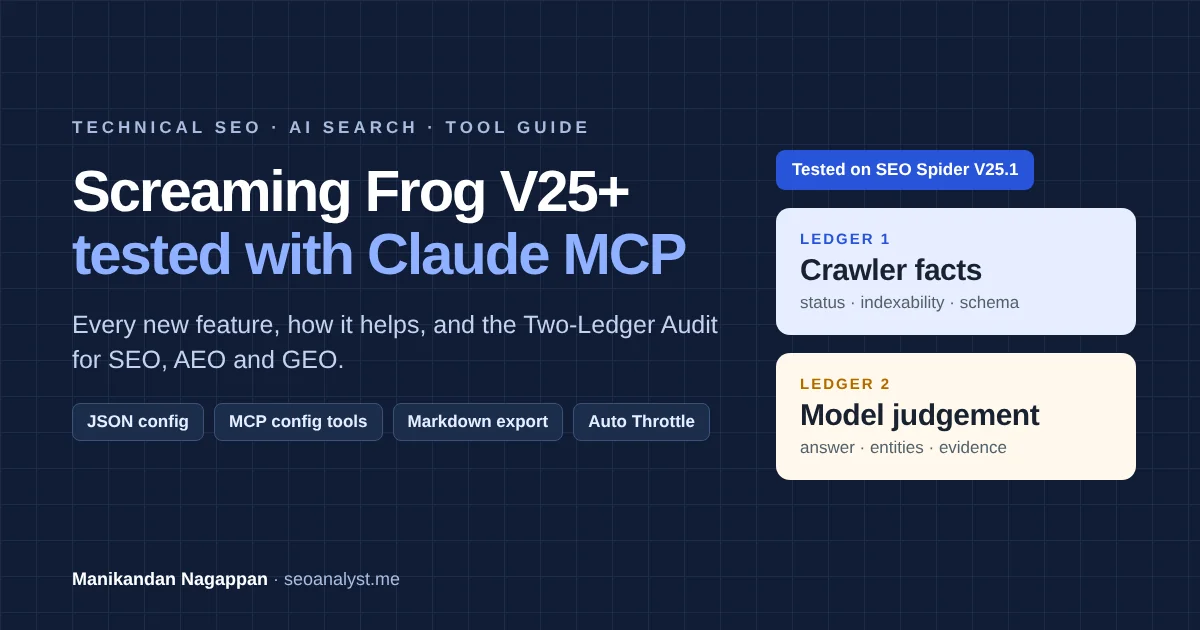 Technical SEO · Tool guideScreaming Frog V25+: every new feature, tested with Claude MCPJSON config, MCP config tools, Markdown export and Auto Throttle, tested on V25.1.
 Technical SEO · Deep diveLighthouse for technical SEOWhat Lighthouse measures, what it misses, and the stack around it.
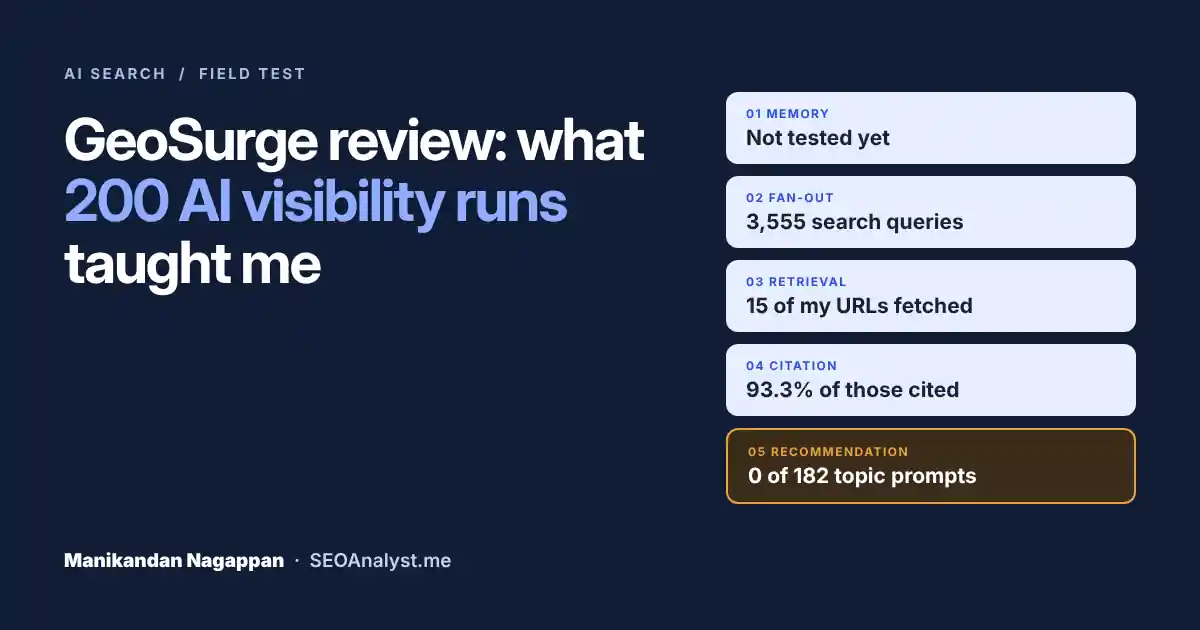 AI search · Tool reviewGeoSurge review: what 200 AI visibility runs taught meWhat it takes to run, how to read the dashboard, and what the score leaves out.
Connecting Screaming Frog to ChatGPT?
Send me what you’re seeing. I read every note.